
Notes and Alerts Redesign
A project focused on redesigning how users track and manage their customers within the Forth, Inc customer relationship management (CRM) platform.
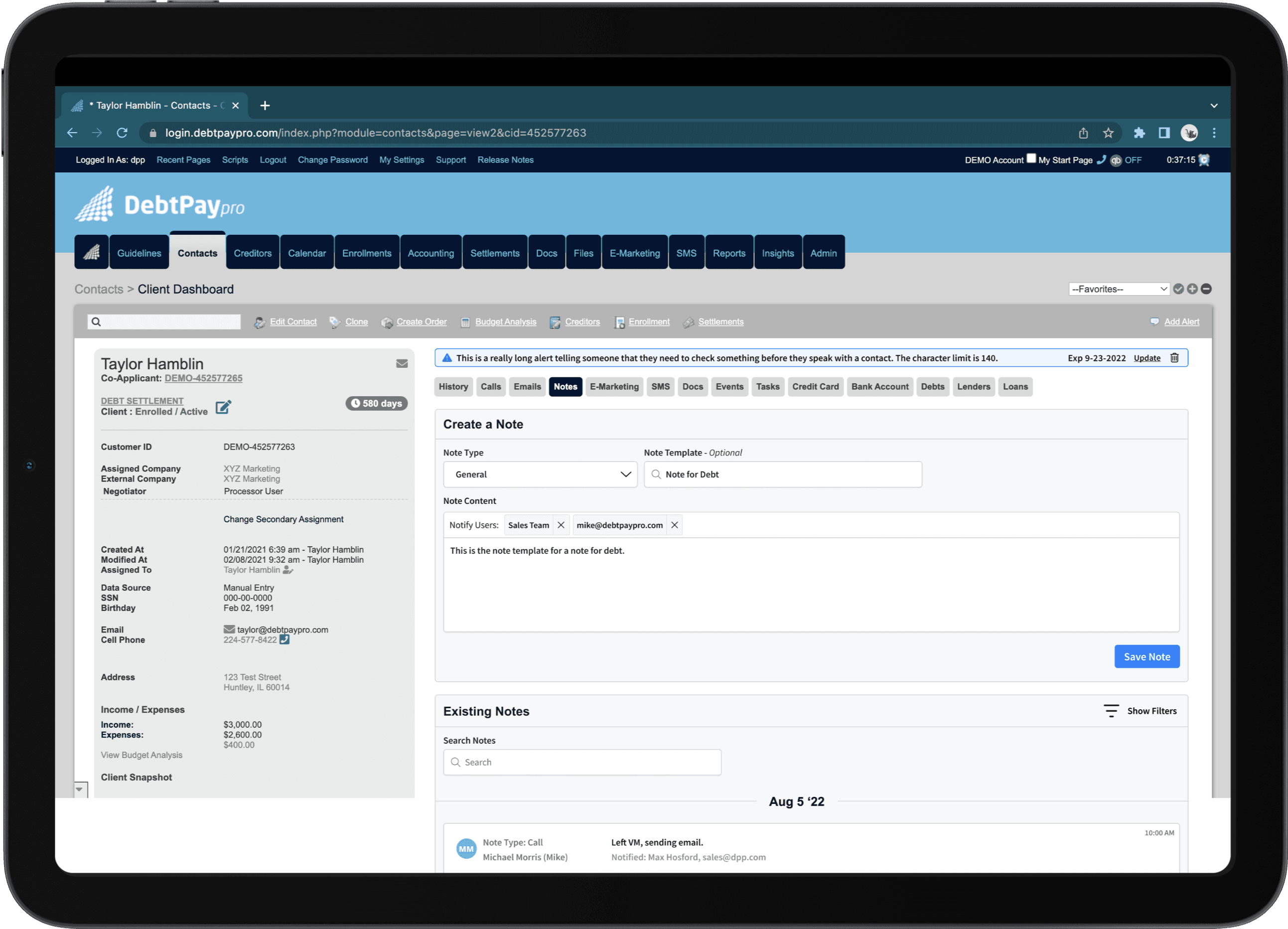
About the Project
The Forth CRM is a platform that provides debt relief service providers (DSRP's) with robust solutions to help end consumers through debt settlement programs.
Users use the notes feature to keep track of information relevant to individual contacts they are servicing. Alerts are also used to convey important information regarding the contact to other users who may be servicing/viewing a contact. Feedback was coming in from clients that the notes section had become very laggy and that the interface was outdated.
Goals
Resolve the issue that is causing the notes section of the contact dashboard to be laggy and have long load times
Interview users to research how notes and alerts are used in the CRM while servicing end consumers
Find pain points and opportunities to improve the notes and alerts functionality through user interviews
Role
UI/UX Designer | Idea Generation, Information Architecture, High Fidelity Design, Prototyping
Stakeholders
UX Researcher – Kristin White
Scope
7 months, July 2022 - February 2022 (Ongoing)
Tools
Figma, Jira, Slack, Google Suite, Pen & Paper
Exploration and Discovery
UX Audit – Current State of the CRM
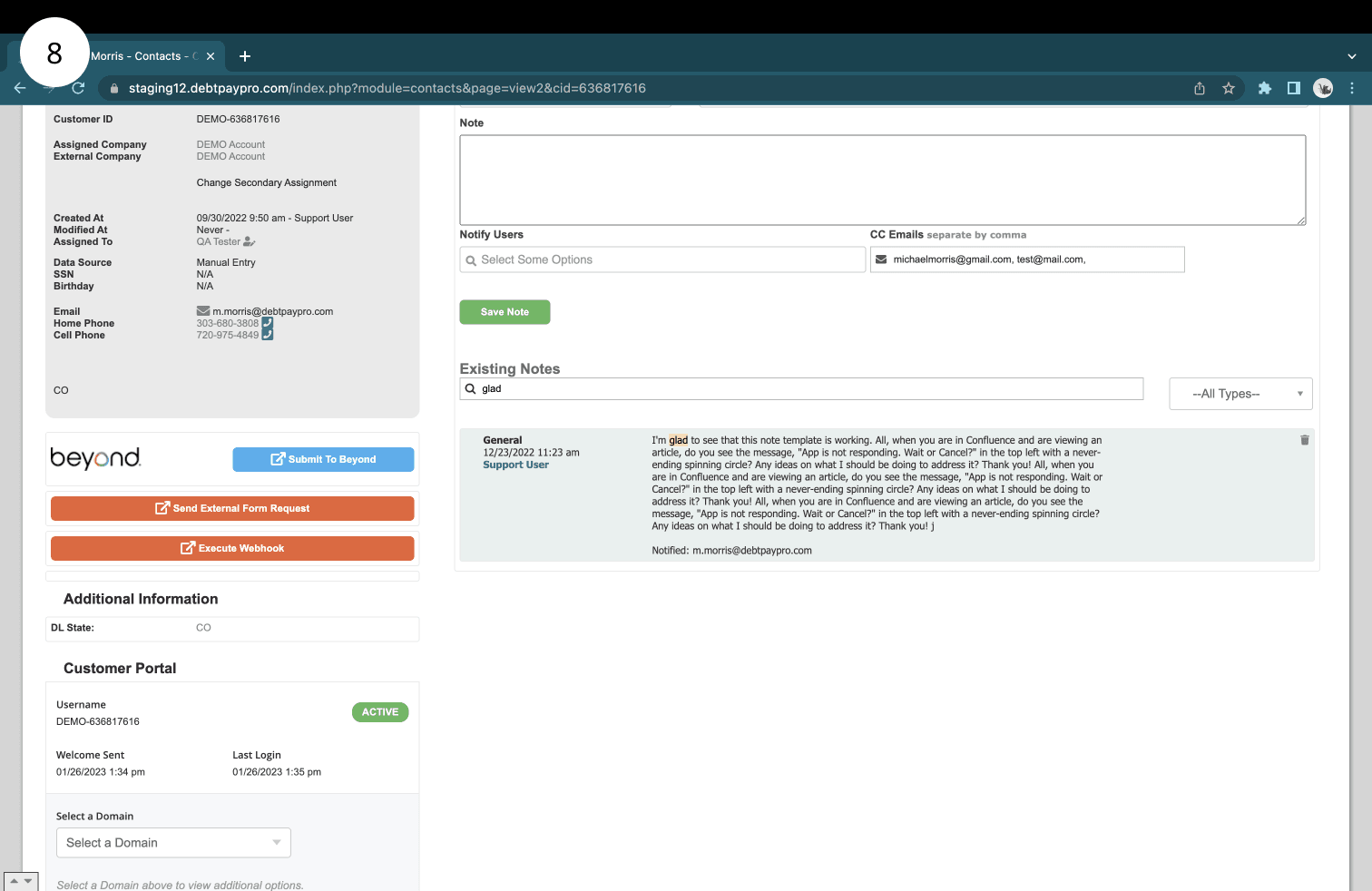
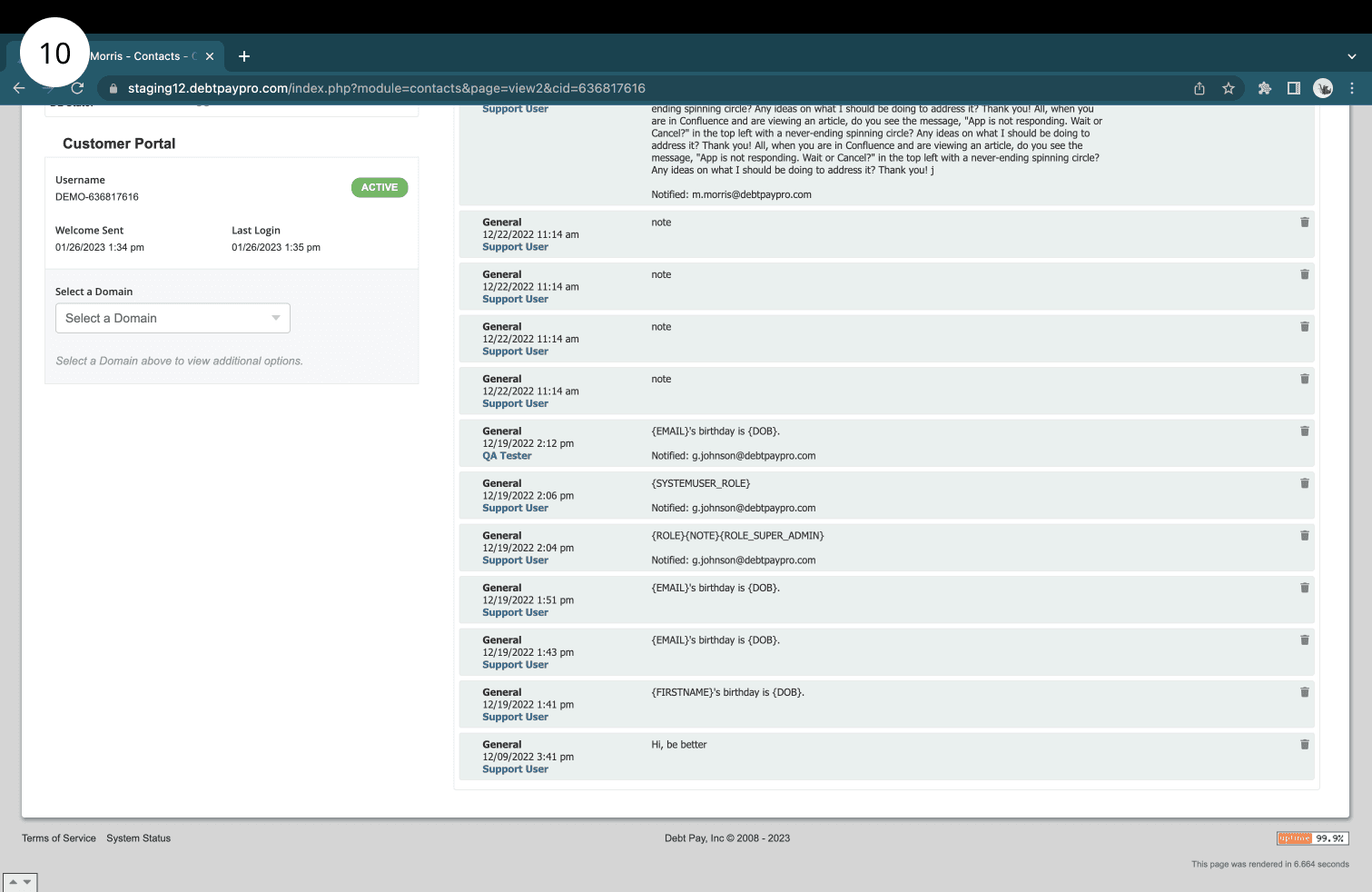
To start the project, we decided to audit the current state of the CRM to outline the current functionality of notes and alerts. Nearly all of the product functionality at Forth had been built before the team had a UI/UX designer and a UX researcher on staff. For this reason, we find it important to map out the current product functionality. Since we were not part of building it, it is important we still understand how it works on a deeper level so we can understand the context of user frustrations (and how to therefore improve the current functionality. You can find a set of insights and screenshots outlining what the notes and alerts feature looked like before our updates.
UX Audit – Insights
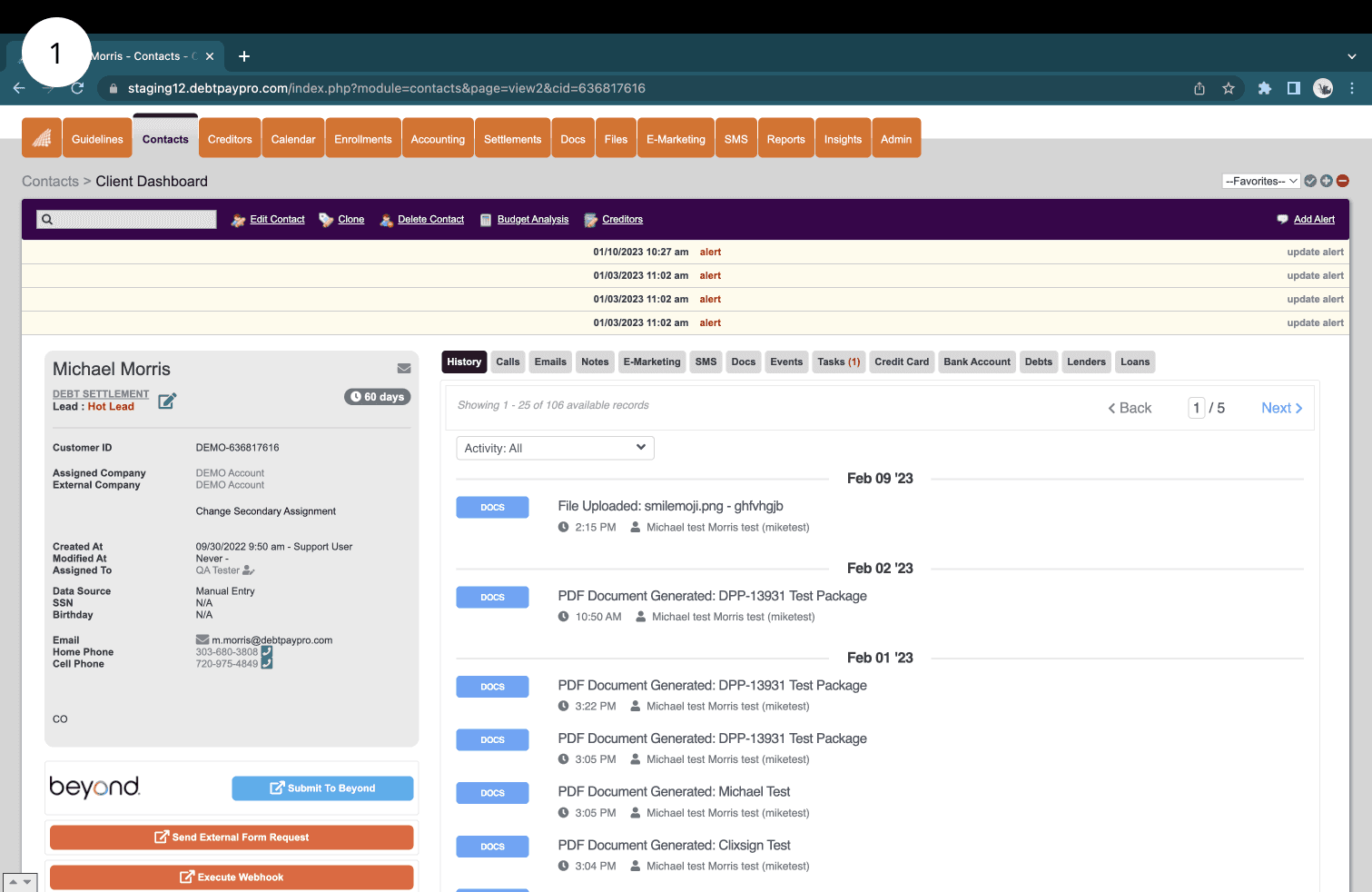
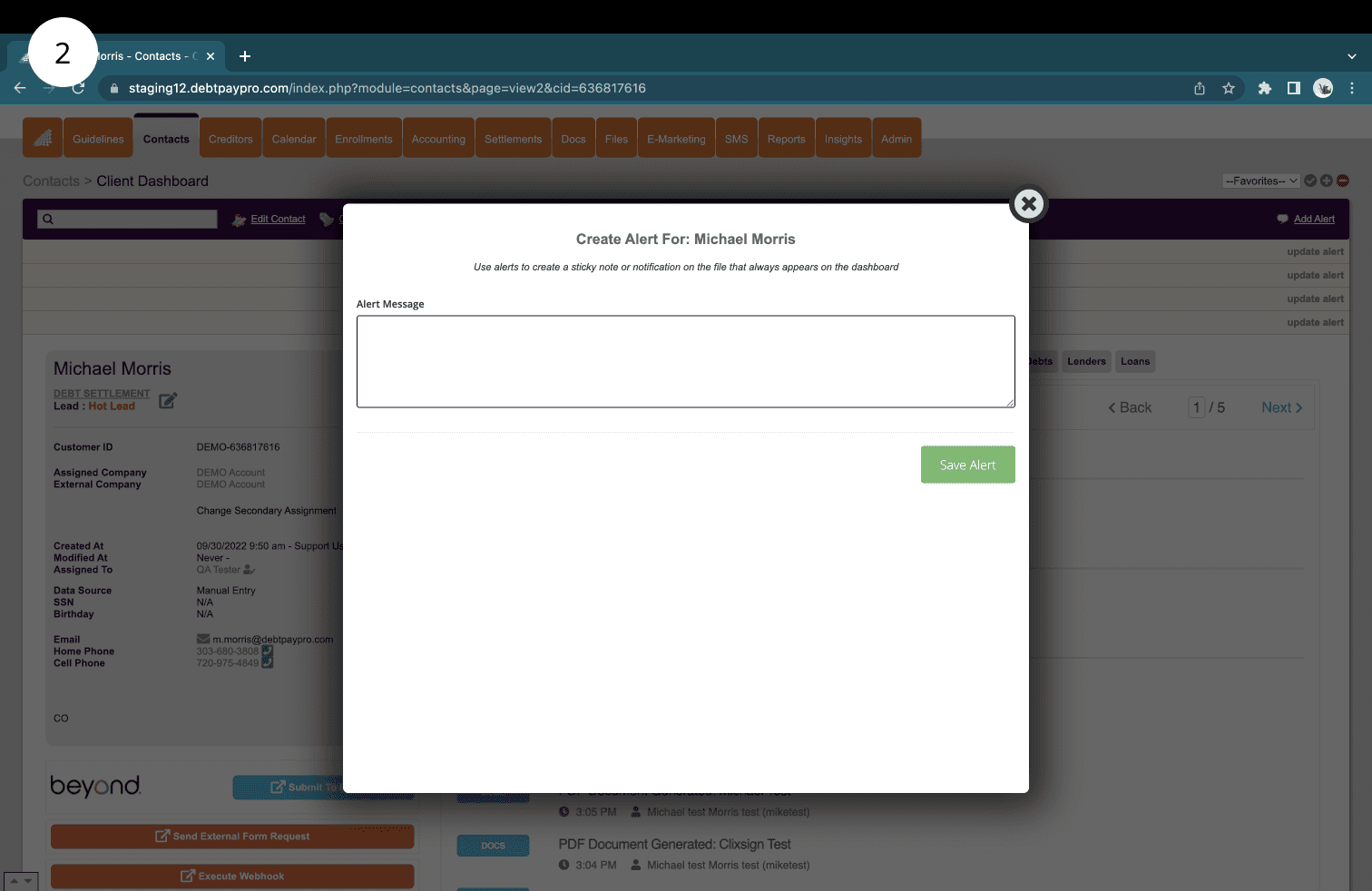
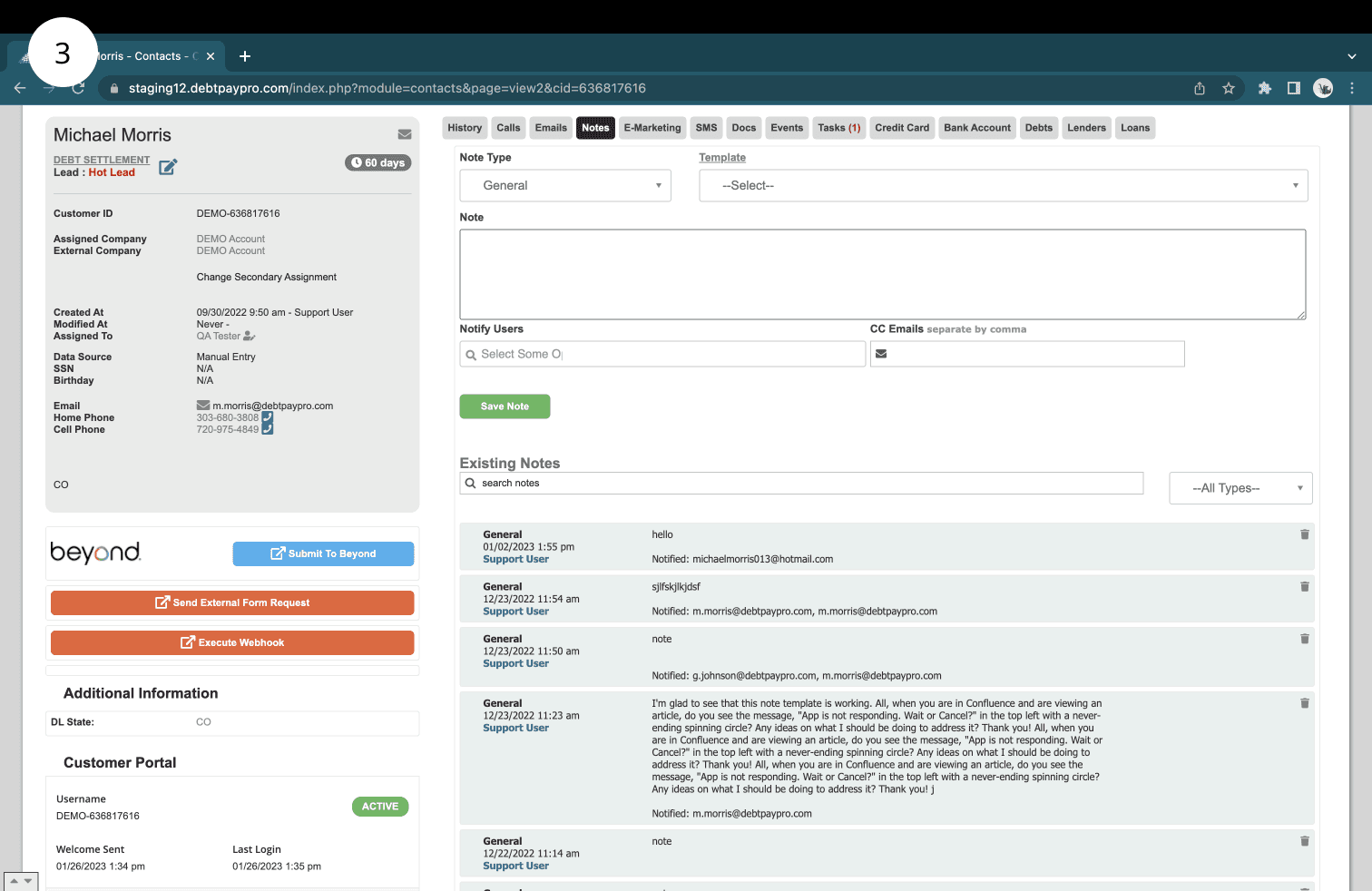
From a functional standpoint, there were no red flags regarding alert functionality (screenshots 1 and 2). From a UI perspective there were glaring issues with general composition and spacing with modal to create an alert (screenshot 2)
When searching for a note template (screenshot 5), the system was pulling the first line of the actual note template as the name. After investigating, it was clear that note templates are not named and do not have descriptions (for knowing when to use it).
When notifying users a note was created via "CC emails" method (screenshot 7), there is no indication the email is entered properly
The only available filter for searching through notes is by "note type". The filtering is limited and it is difficult to tell the timeline between notes created.
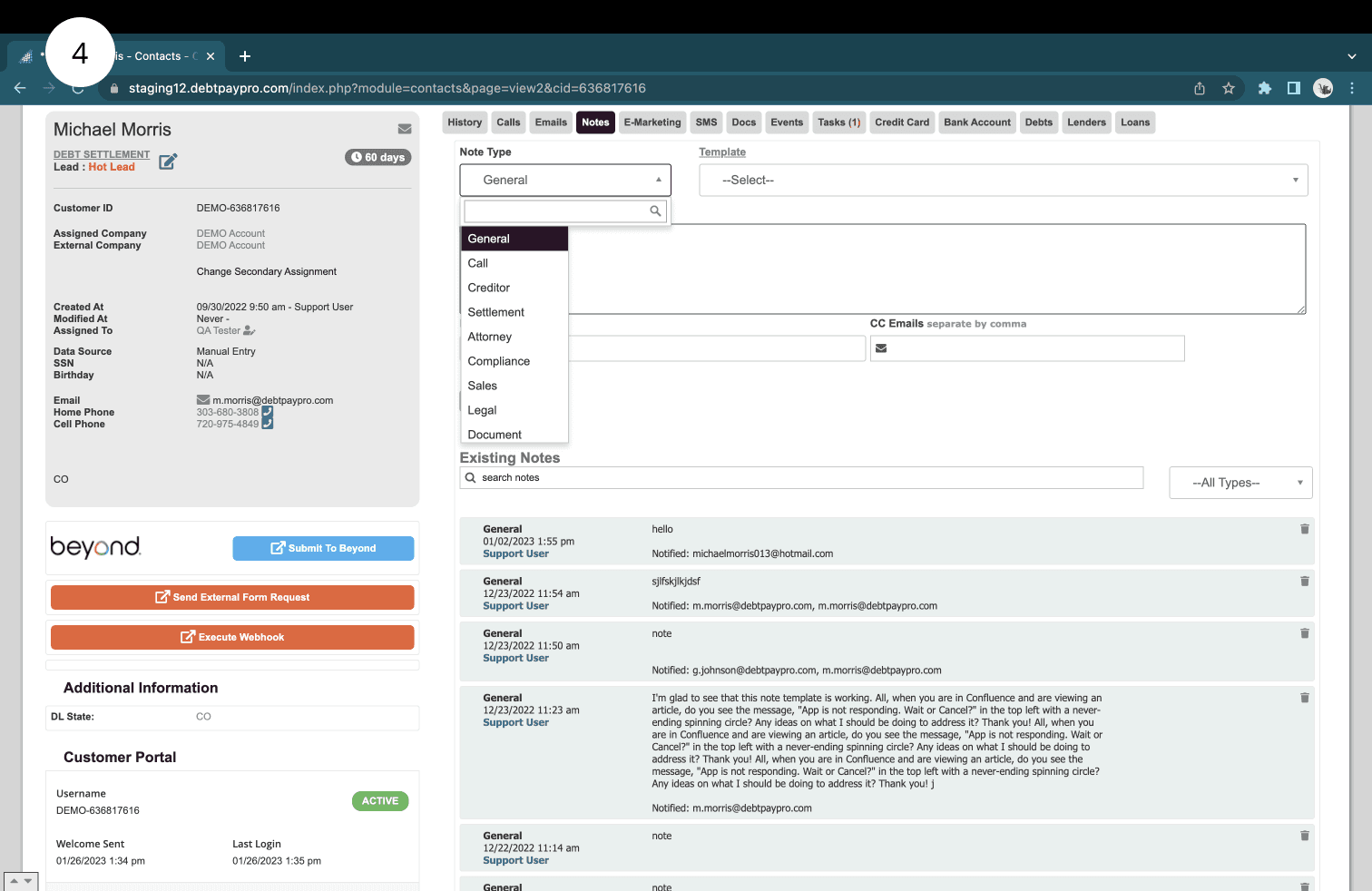
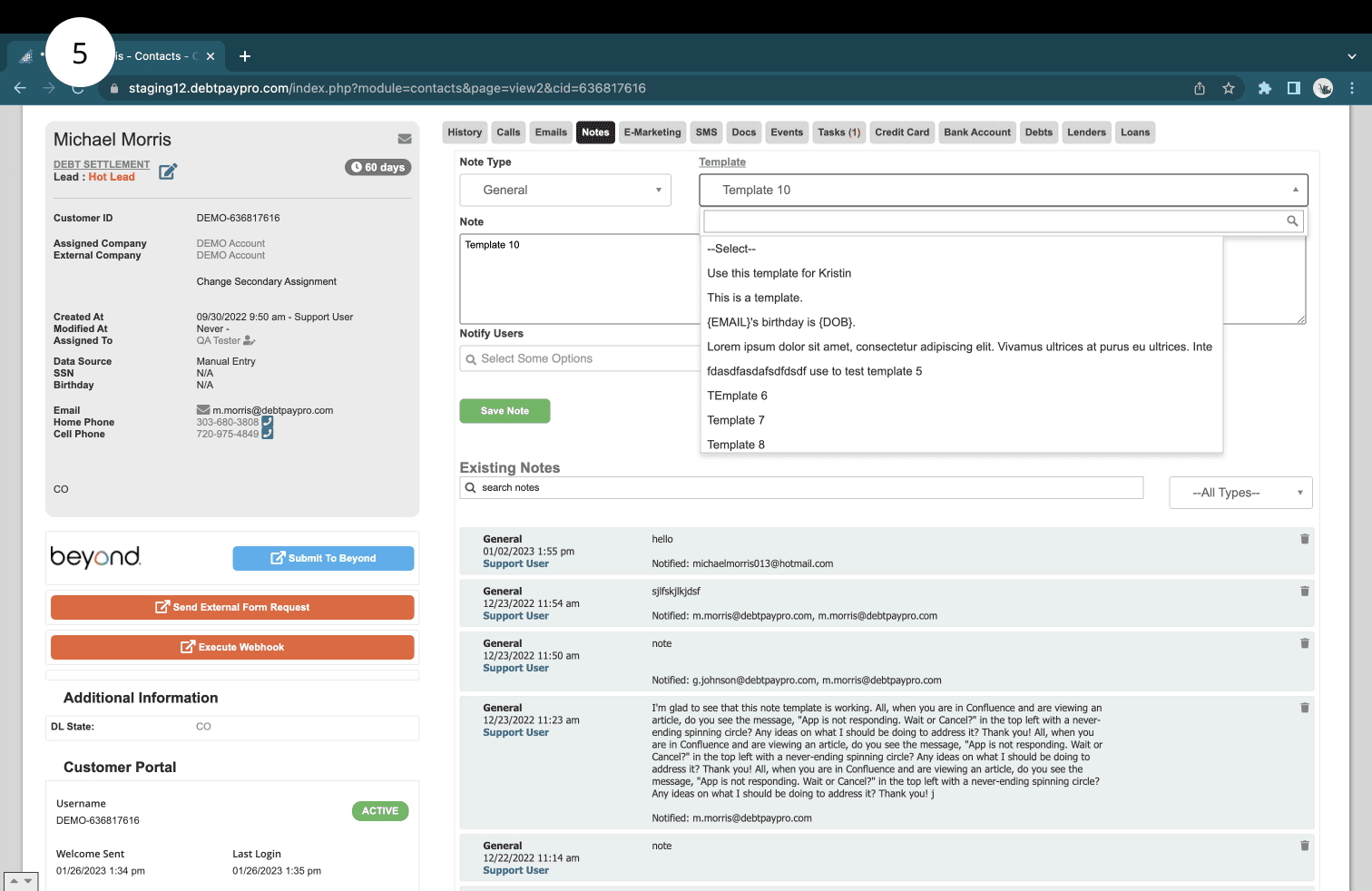
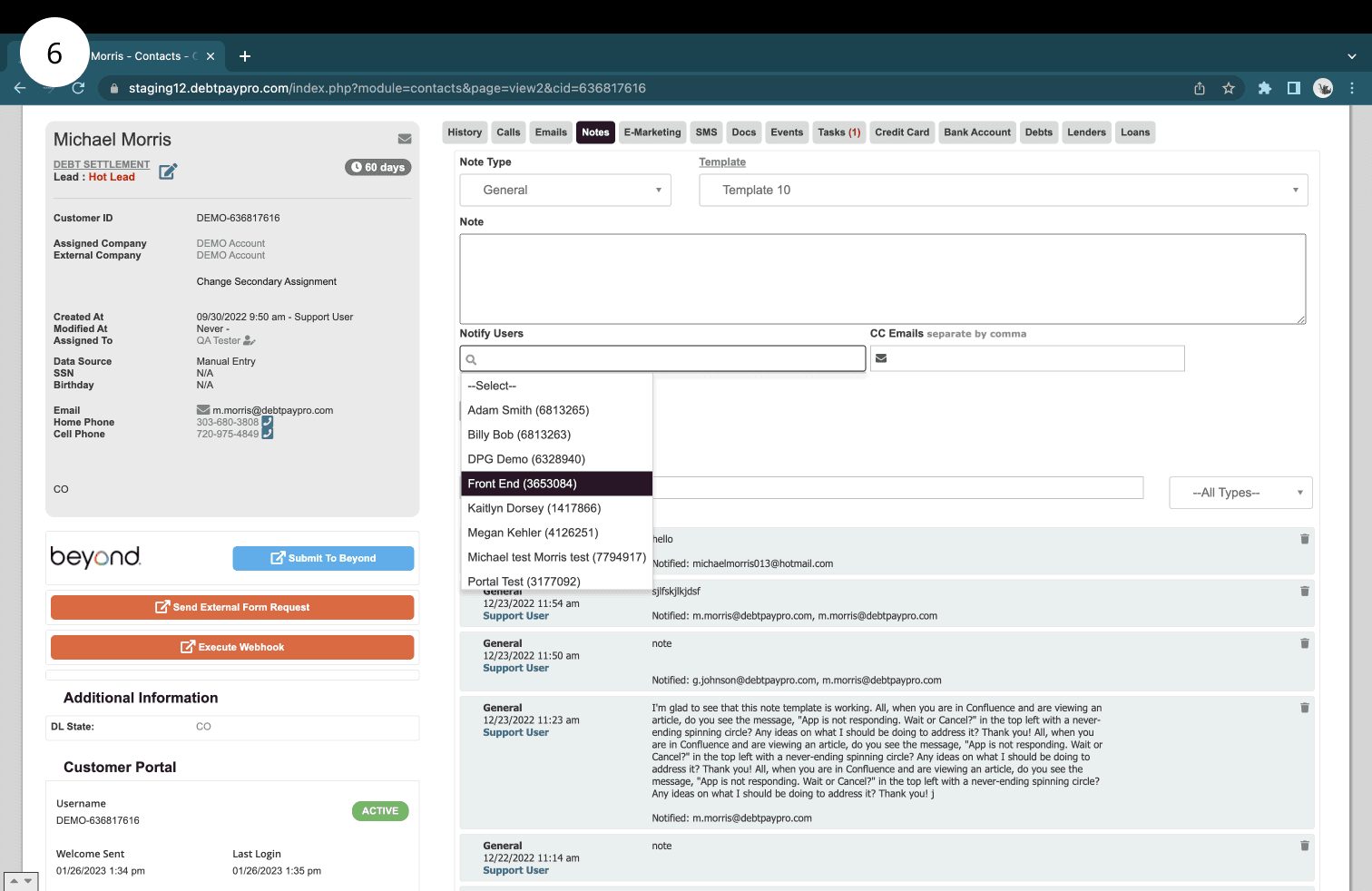
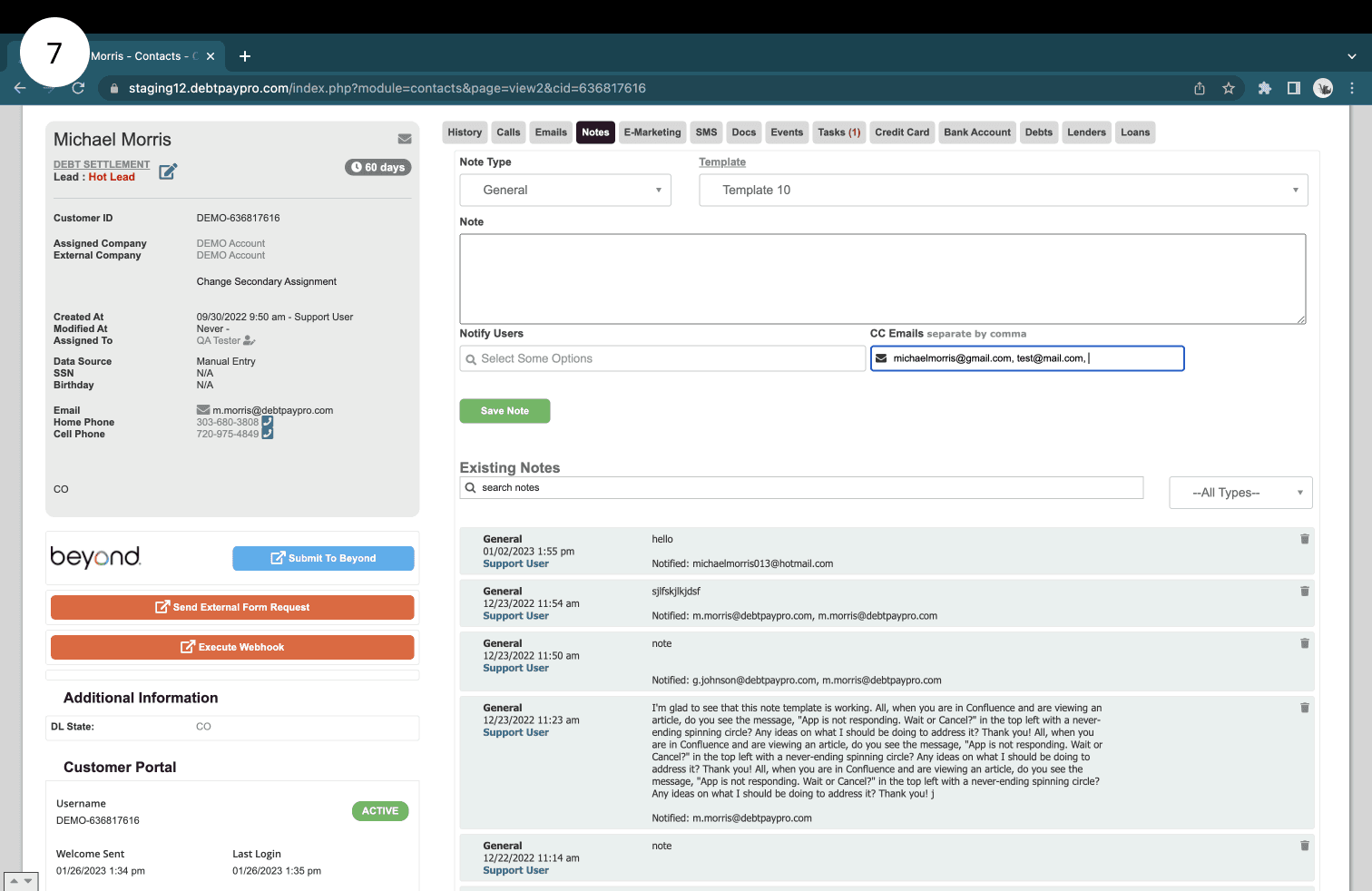

Generative User Interviews
Our team decided to conduct Generative User Interviews to help gain insights to how our users use the Notes and Alerts feature in their day to day work. We hoped to uncover what was working well for our users regarding the feature and where the functionality was falling short for them. The interviews were conducted by Kristin (User Researcher), and observed by me.
Goals:
Discover the mental model and expectations of the debt validation end users (in relation to the Notes Tab).
Metric for discovery:
discover personal characteristics (age, goals, interests)
find what other apps they use on a regular basis
discover attitudes and motivations
Discover the day-to-day use of the Notes Tab.
Metric for discovery:
discover methodology of entering a note
discover how they use the notes tab
Discover pain points of their current experience (within the Notes Tab)
Metric for discovery:
list of user difficulties (what, where, why)
discover user "wishes" and "needs"
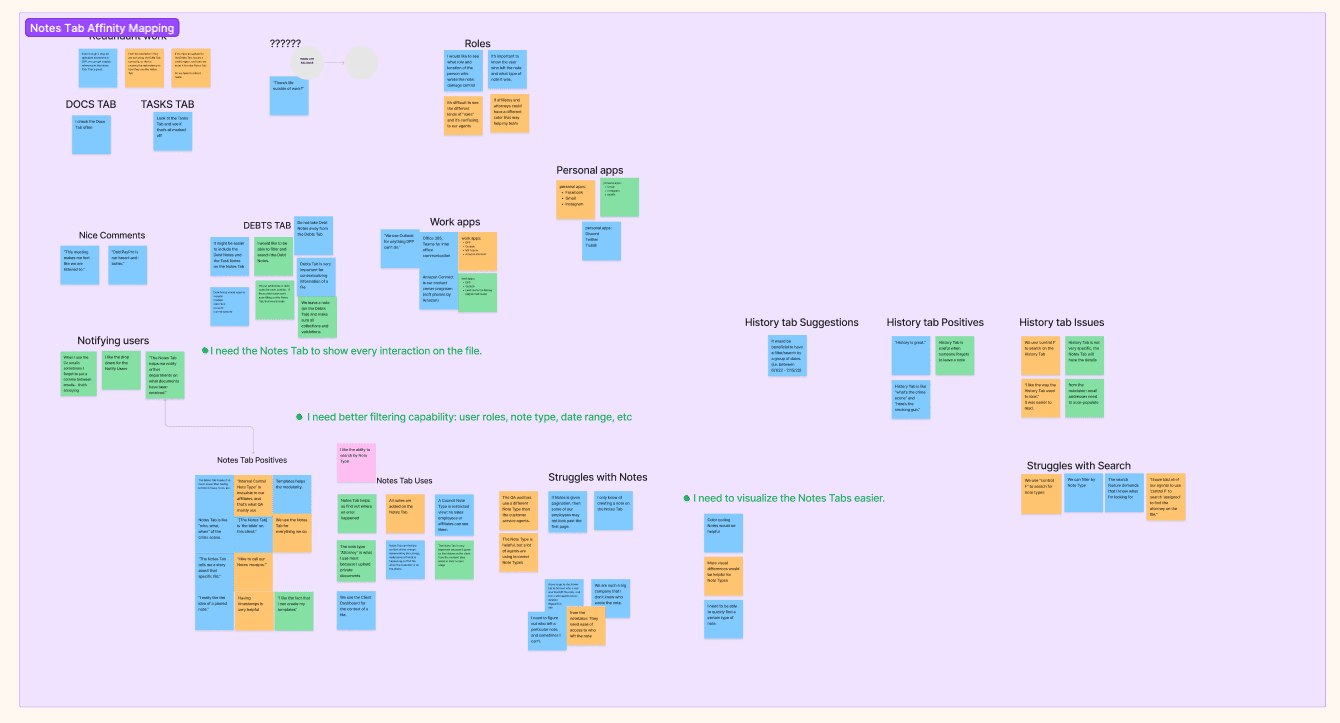
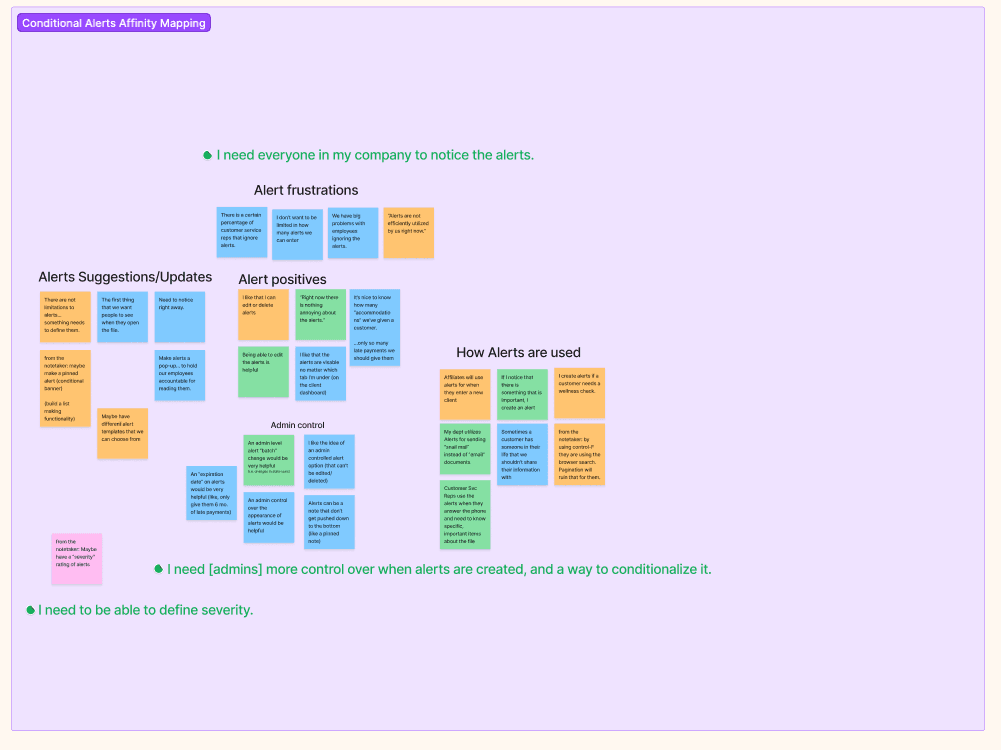
Affinity Mapping with User Interview Insights
From the interviews, our User Researcher generated insights and wrote them out in Figma to be affinity mapped. Insights were separated by whether the statement was relevant to notes or alerts. Using the insights, we grouped them into relevant categories to discover commonalities across interviews. It became clear that with some contacts having so many notes on them, users need better filtering capabilities and organization of notes. In regards to alerts, it became clear that users wanted the ability to change who can edit and delete notes. The also wanted to differentiate how alerts display, so that more important ones stand out. The output of the affinity mapping session can be found below.
Problem Statements
To finish off the discovery phase, problem statements were developed to drive the design process. These statements were generated by analyzing the affinity maps and coming up with a sentence that summarizes what outcomes will help fill user needs.
Notes: How might we provide better visualization and filtering capabilities on the Notes Tab?
Alerts: How might we present Alerts in a more unique, conditionalized way?
UX Design Process
Wireframes
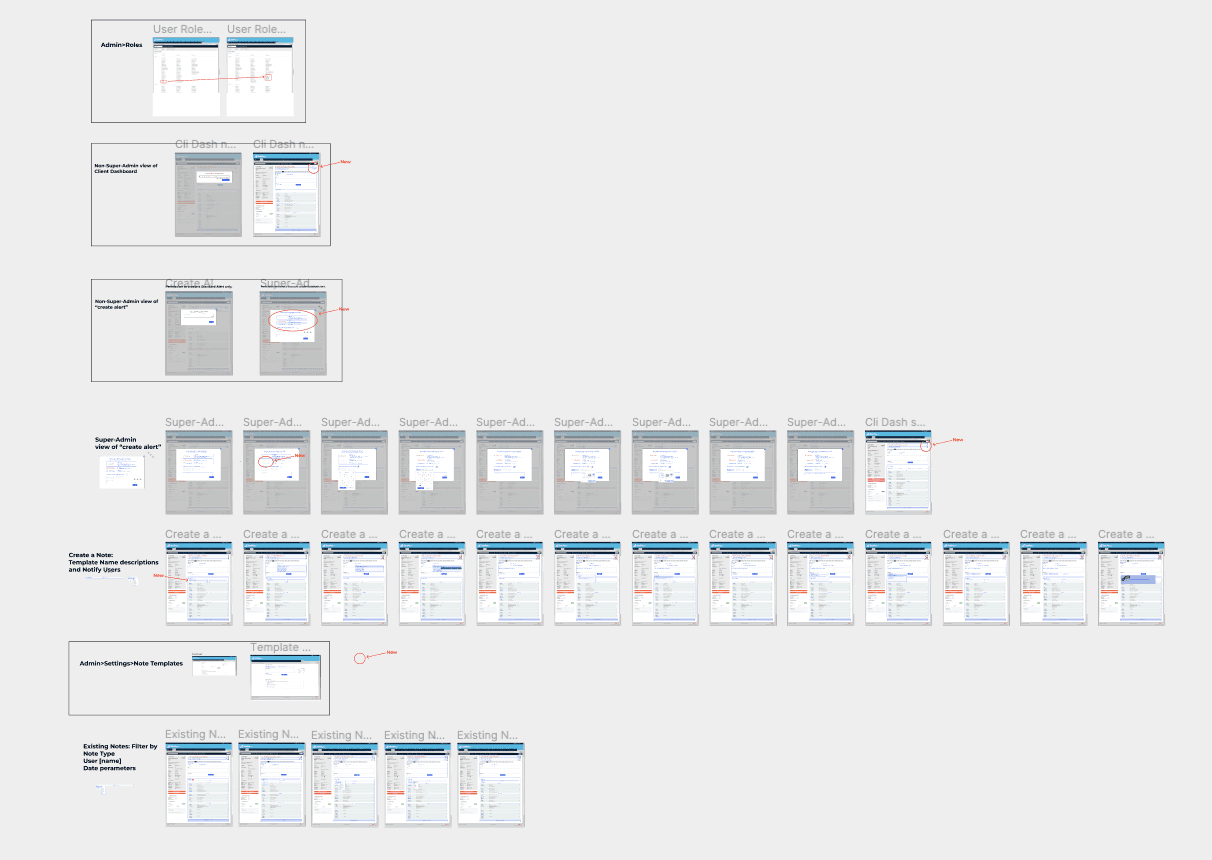
To start the design process, the team iterated on possible solutions by creating general wireframes. Our wireframes were a first attempt to map out the user flow for new features. We presented the wireframes to our Director of Product for approval on concepts before moving on to Final Design. The wireframes helped to conceptualize feature functionality in fast iterations without getting too lost in the visual design. Screenshots of our wireframe iterations can be found below.

Problems and Solutions
Here you can find a summary of problems identified by users in our affinity mapping session, and how we solutioned for them in our early designs
Notes:
Problem: It is hard to find the note template I am looking for because note templates don't have names. The dropdown just shows the first line of the template
Solution: Re-design the note template administrative experience. Add the ability to name note templates so they can more easily be found and also provide a description for when to use the note template.
Problem: It is hard to notify and cc people when I enter notes. There is no feedback that I entered an email right so I am not confident when I type them in.
Solution: Remove the separation between "Notify Users" and "CC Emails". They both do the same thing, notify people that a note was create on a contact. Allow users to search for and enter emails, and tab the selections/entries to show visual confirmation the desired person will be notified.
Problem: The note search is limited to what was entered in the note body. My filtering options are limited to note type. Sometimes I need to filter based on more criteria.
Solution: Add advanced note filtering using data stored when notes are created. This includes filtering notes created by certain users, note type, time created, oldest to newest, and newest to oldest.
Problem: The notes section of the contact dashboard is laggy and loads slow.
Solution: Introduce pagination to notes so that not all notes load on the page at once
Problem: The notes UI is outdated and needs to be organized better.
Solution: Redesign how notes display, and by default long collapse notes so they are organized nicely on the page. Users can then expand longer notes to see them when needed, so less page space is taken up by individual notes.
Alerts:
Problem: There is no distinction in which notes are most/least important, they all look the same.
Solution: Create alert severities with correlating colors to help distinguish alerts. High priority would be something like red, mid priority would be yellow/orange, and low priority alerts would be displayed as a calm color like blue. We would use colors that help connotate the importance of the alert.
Problem: Alerts that are no longer relevant are often still displayed on contacts.
Solution: Introduce the concept of alert expiration. When creating alerts, users can set expiration dates on them so that after a certain date the alert automatically deletes itself.
Problem: As an account admin, I want to control who can leave certain alerts, and who can edit and delete them.
Solution: Introduce permissions for who can create/edit/delete alerts of high/medium/and low priority.
Problem: As part of user interviews, we noticed some users were showing us contacts with 15+ alerts taking up the whole page. Important alerts were being missed and notes were being stored in this section.
Solution: Create an alert limit of 5 alerts. This will direct users to only use alerts for conveying important information. If there are more than 5, one needs to be deleted, or it needs to be determined if content that is more relevant to a note is being entered.
High Fidelity Design
After general functionality was hammered out by wireframes. I moved onto high fidelity designs to dial in the visual design, interaction design, and smaller product functionality details.
Affinity Mapping with User Interview Insights
From the interviews, our User Researcher generated insights and wrote them out in Figma to be affinity mapped. Insights were separated by whether the statement was relevant to notes or alerts. Using the insights, we grouped them into relevant categories to discover commonalities across interviews. The output of the affinity mapping session can be found below.
Discovery Phase Outcome – Problem Statements
To finish off the discovery phase, problem statements were developed to drive the design process. These statements were generated by analyzing the affinity maps and coming up with a sentence that summarizes what outcomes will help fill user needs.
Notes: How might we provide better visualization and filtering capabilities on the Notes Tab?
Alerts: How might we present Alerts in a more unique, conditionalized way?

Final Design
Probably the most exciting part of every UX case study is the reveal of the final design. In this section, you should explain
Why did you choose this solution?
What other solutions were in the run?
Before-and-after screenshots (if relevant to the project).
There are two great options to present your final designs. The first is to use galleries. You can go with a nice carousel or a grid that follows a logical order. The second is to embed your Figma prototype. This has the added benefit of making your case study interactive, which makes for a more memorable experience. (Or you can combine the two for an even better showing.)
Length:
2-3 short paragraphs.

Impact
If you have numbers or analytics that show how your design contributed to business goals, you need to showcase them. This will make your case study even more impactful. You don’t need graphs and piecharts (unless you have the time to create some); it’s enough to make a list with the quantifiable data. If you don’t have access to such data, you can also include testimonials and user quotes to underline impact. If you can include both, that’s a winning combination.
Length:
At least 1 sentence for each achievement.
In a bulleted list or short paragraph.
Learnings
There’s something to learn even from the most boring project you’ve ever done. At least, you should strive to find something positive that can contribute to your growth as a designer. This can be a soft skill, a new tool, a new method, or a different way of cooperation. Try to think of things that were new to you in this project and share the takeaways with your readers. Alternative closures include:
Takeaways
What would I do differently?
Jobs to be done
Length:
This chapter can be as long as you please, but
At least 3-4 sentences.