Notification Center
Notification Center
Notification Center
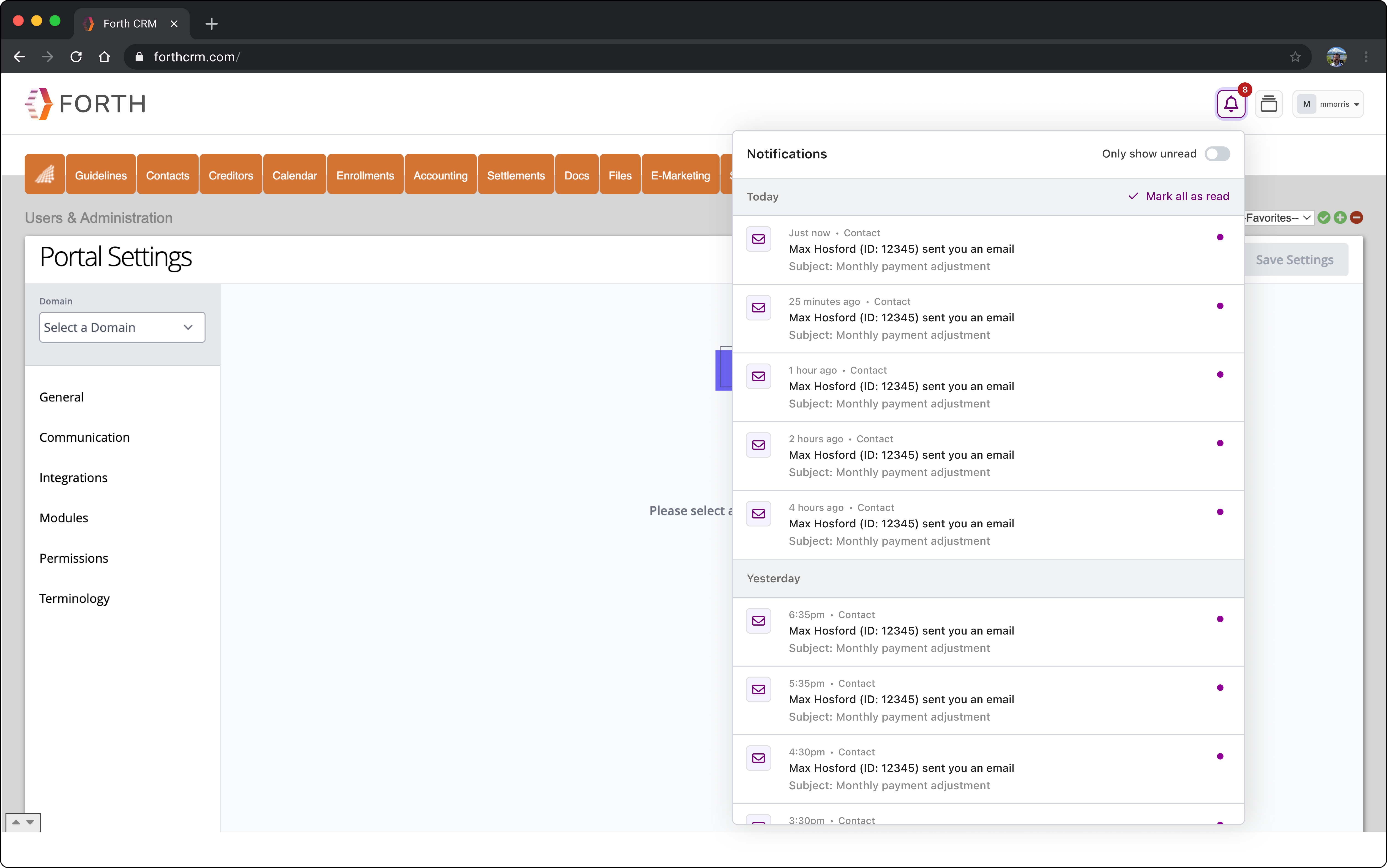
The design and implementation of a notification framework for our CRM. This project included designing an intuitive interface for managing notification preferences, the design of a centralized notification center, and a redesign of our toast notifications. Below we will focus on the design of the notification center.
The design and implementation of a notification framework for our CRM. This project included designing an intuitive interface for managing notification preferences, the design of a centralized notification center, and a redesign of our toast notifications. Below we will focus on the design of the notification center.
The design and implementation of a notification framework for our CRM. This project included designing an intuitive interface for managing notification preferences, the design of a centralized notification center, and a redesign of our toast notifications. Below we will focus on the design of the notification center.

My Role
My Role
UI Design
UI Design
UI Design
UX Design
UX Design
UX Design
Interaction Design
Interaction Design
Interaction Design
Team
Team
Product Designer (me)
Product Designer (me)
Product Designer (me)
UX Researcher
UX Researcher
UX Researcher
Director of Product
Director of Product
Director of Product
Tools
Tools
Figma
Figma
Figma
Jira
Jira
Jira
Slack
Slack
Slack
Challenge
Challenge
Challenge
Our CRM lacked a notification framework, leaving users without real-time updates or a centralized way to track important events and actions. This gap hindered user efficiency, as they would have to manually check various system sections or use other forms of communication like email to directly communicate with other users to stay informed. This often led to missed updates by users and slower response times between individual users and their clients.
Our CRM lacked a notification framework, leaving users without real-time updates or a centralized way to track important events and actions. This gap hindered user efficiency, as they would have to manually check various system sections or use other forms of communication like email to directly communicate with other users to stay informed. This often led to missed updates by users and slower response times between individual users and their clients.
Our CRM lacked a notification framework, leaving users without real-time updates or a centralized way to track important events and actions. This gap hindered user efficiency, as they would have to manually check various system sections or use other forms of communication like email to directly communicate with other users to stay informed. This often led to missed updates by users and slower response times between individual users and their clients.
Results
Results
Results
The implementation of the notification framework improved user efficiency and engagement while also increasing confidence in the reliability of our product. Users for the first time received reliable real-time visibility into important updates.
One of the biggest internal wins for this feature was that it provided a scalable foundation for future enhancements to the CRM.
The implementation of the notification framework improved user efficiency and engagement while also increasing confidence in the reliability of our product. Users for the first time received reliable real-time visibility into important updates.
One of the biggest internal wins for this feature was that it provided a scalable foundation for future enhancements to the CRM.
The implementation of the notification framework improved user efficiency and engagement while also increasing confidence in the reliability of our product. Users for the first time received reliable real-time visibility into important updates.
One of the biggest internal wins for this feature was that it provided a scalable foundation for future enhancements to the CRM.
Research & Analysis
Research & Analysis
Research & Analysis
To start, our UX Researcher conducted generative research with users to uncover critical pain points and needs related to the absence of an effective notifications framework. Generative interviews revealed key challenges, including inefficient workflows, lack of trust in existing notifications, and excessive reliance on external tools like Gmail and Outlook.
To start, our UX Researcher conducted generative research with users to uncover critical pain points and needs related to the absence of an effective notifications framework. Generative interviews revealed key challenges, including inefficient workflows, lack of trust in existing notifications, and excessive reliance on external tools like Gmail and Outlook.
To start, our UX Researcher conducted generative research with users to uncover critical pain points and needs related to the absence of an effective notifications framework. Generative interviews revealed key challenges, including inefficient workflows, lack of trust in existing notifications, and excessive reliance on external tools like Gmail and Outlook.
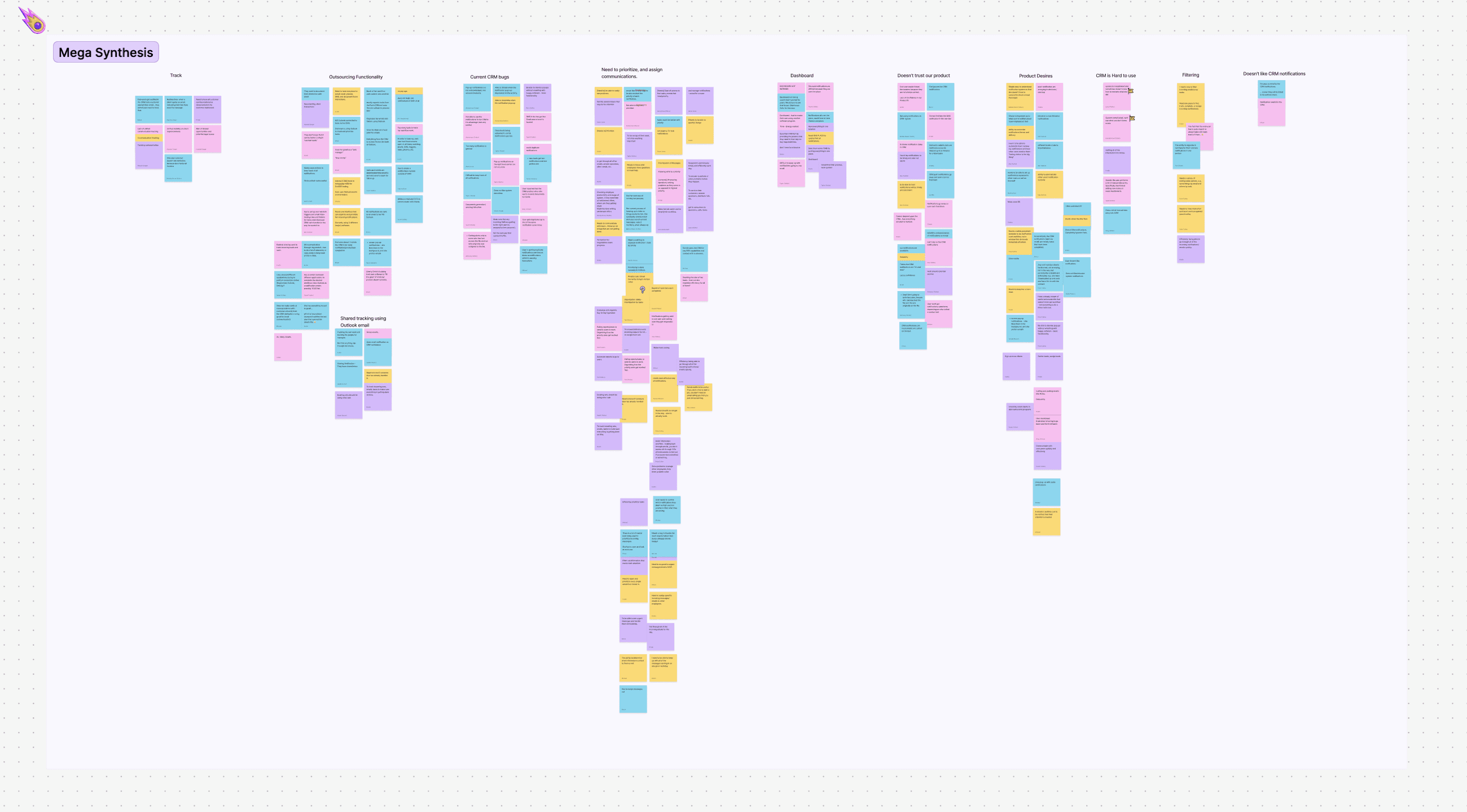
Synthesis: Insights were synthesized through an Affinity Diagram, clustering talking points into actionable themes.
Synthesis: Insights were synthesized through an Affinity Diagram, clustering talking points into actionable themes.
Synthesis: Insights were synthesized through an Affinity Diagram, clustering talking points into actionable themes.
Key Findings:
Key Findings:
Key Findings:
Communication Tracking: Users needed a reliable way to track customer communications, especially to prevent accountability disputes.
Communication Tracking: Users needed a reliable way to track customer communications, especially to prevent accountability disputes.
Communication Tracking: Users needed a reliable way to track customer communications, especially to prevent accountability disputes.
Centralization: A single, consolidated location for notifications was a universal need to reduce scattered workflows.
Centralization: A single, consolidated location for notifications was a universal need to reduce scattered workflows.
Centralization: A single, consolidated location for notifications was a universal need to reduce scattered workflows.
Trust: Users expressed a lack of trust in the current notification system, citing unreliability, delays, and inconsistent functionality. When we performed QA testing, we needed to make sure that notifications were consistent and reliable.
Trust: Users expressed a lack of trust in the current notification system, citing unreliability, delays, and inconsistent functionality. When we performed QA testing, we needed to make sure that notifications were consistent and reliable.
Trust: Users expressed a lack of trust in the current notification system, citing unreliability, delays, and inconsistent functionality. When we performed QA testing, we needed to make sure that notifications were consistent and reliable.
Wireframing & Prototyping
Wireframing & Prototyping
Wireframing & Prototyping
The wireframing phase focused on designing a clear and functional layout for a centralized notification system, as well as possible settings. Prototyping brought these designs to life, enabling us to dial in the interaction design. Iterative improvements ensured the final solution was intuitive and seamlessly integrated into the CRM.
The wireframing phase focused on designing a clear and functional layout for a centralized notification system, as well as possible settings. Prototyping brought these designs to life, enabling us to dial in the interaction design. Iterative improvements ensured the final solution was intuitive and seamlessly integrated into the CRM.
The wireframing phase focused on designing a clear and functional layout for a centralized notification system, as well as possible settings. Prototyping brought these designs to life, enabling us to dial in the interaction design. Iterative improvements ensured the final solution was intuitive and seamlessly integrated into the CRM.
Lofi Wireframes: I started out wireframing a general layout. The form for notifications came together quickly, but was still undecided was if we would include some type of filtering to the notification center.
Lofi Wireframes: I started out wireframing a general layout. The form for notifications came together quickly, but was still undecided was if we would include some type of filtering to the notification center.
Lofi Wireframes: I started out wireframing a general layout. The form for notifications came together quickly, but was still undecided was if we would include some type of filtering to the notification center.
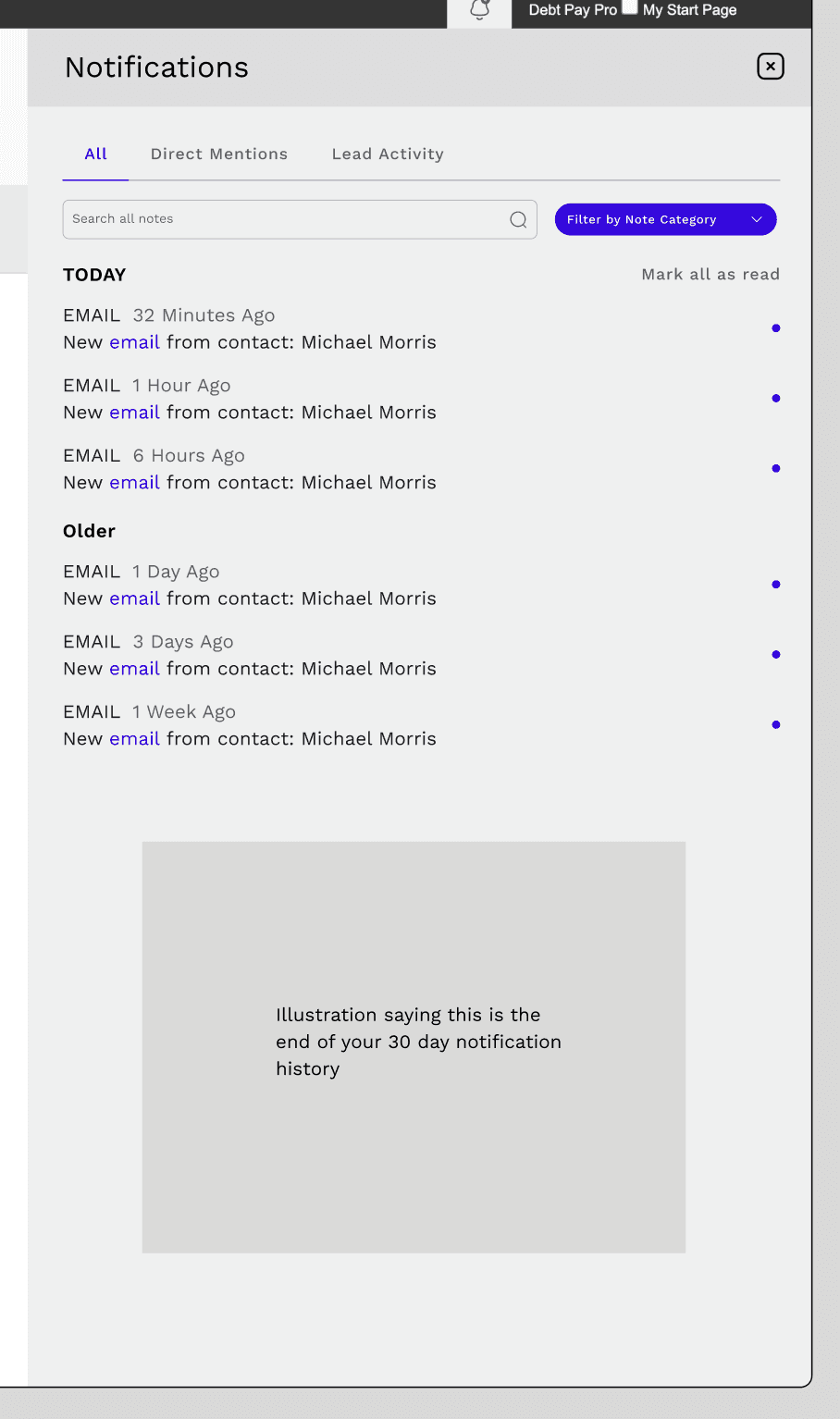
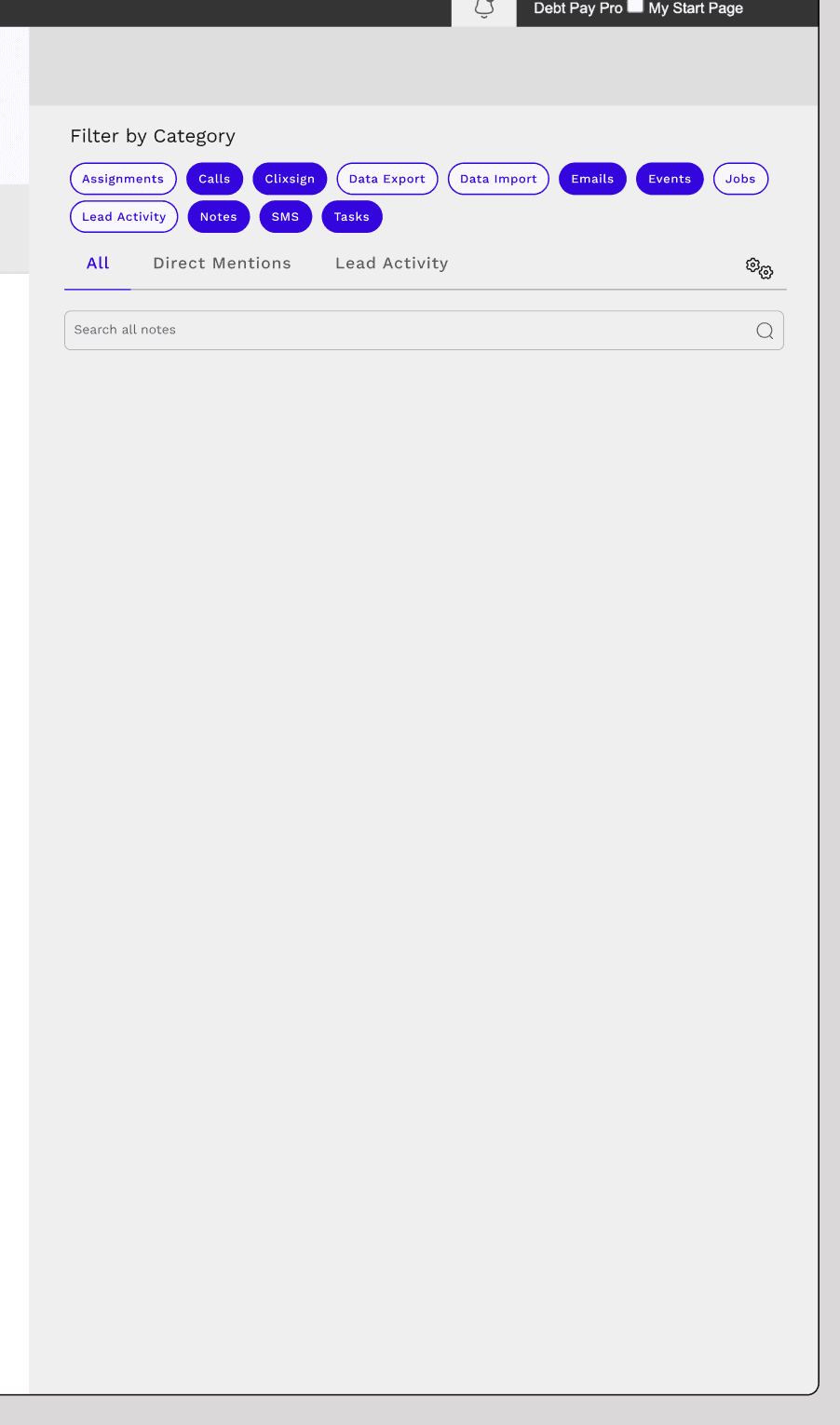
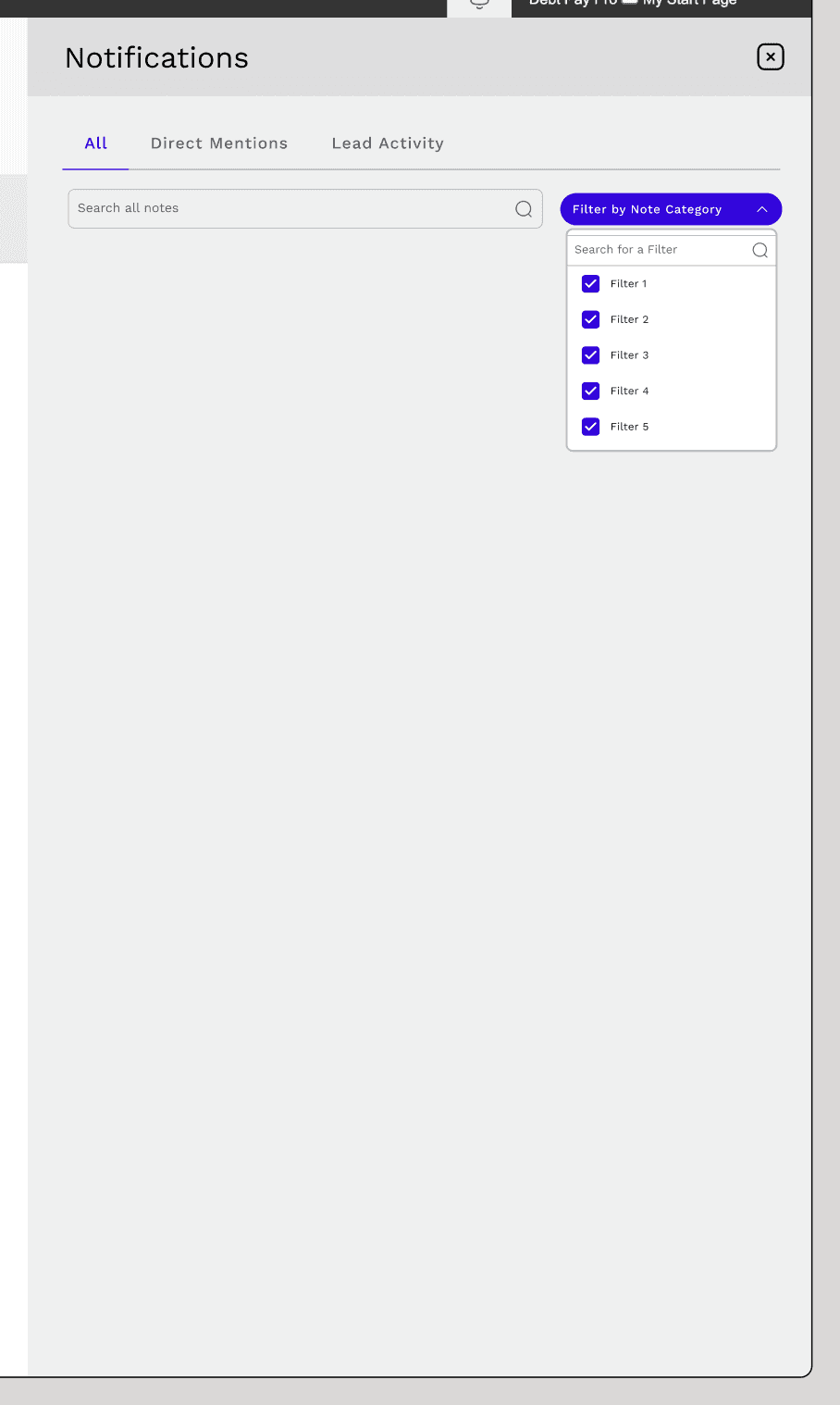
After reviewing with the team, it became clear that we might want to proceed with filter capabilities and search, but not segmented views. This was to simplify the functionality for an initial release, and be in more line with industry standards.
After reviewing with the team, it became clear that we might want to proceed with filter capabilities and search, but not segmented views. This was to simplify the functionality for an initial release, and be in more line with industry standards.
After reviewing with the team, it became clear that we might want to proceed with filter capabilities and search, but not segmented views. This was to simplify the functionality for an initial release, and be in more line with industry standards.
Mid-fi Designs: I started out wireframing a general layout. We explored various layouts and formats for notifications: using absolute date and time versus relative, the order of the time stamp in relation to a title and description, the possible use of colors for different notification categories. It was also explored to see how various filters could be applied to help users find certain notifications faster.
Mid-fi Designs: I started out wireframing a general layout. We explored various layouts and formats for notifications: using absolute date and time versus relative, the order of the time stamp in relation to a title and description, the possible use of colors for different notification categories. It was also explored to see how various filters could be applied to help users find certain notifications faster.
Mid-fi Designs: I started out wireframing a general layout. We explored various layouts and formats for notifications: using absolute date and time versus relative, the order of the time stamp in relation to a title and description, the possible use of colors for different notification categories. It was also explored to see how various filters could be applied to help users find certain notifications faster.
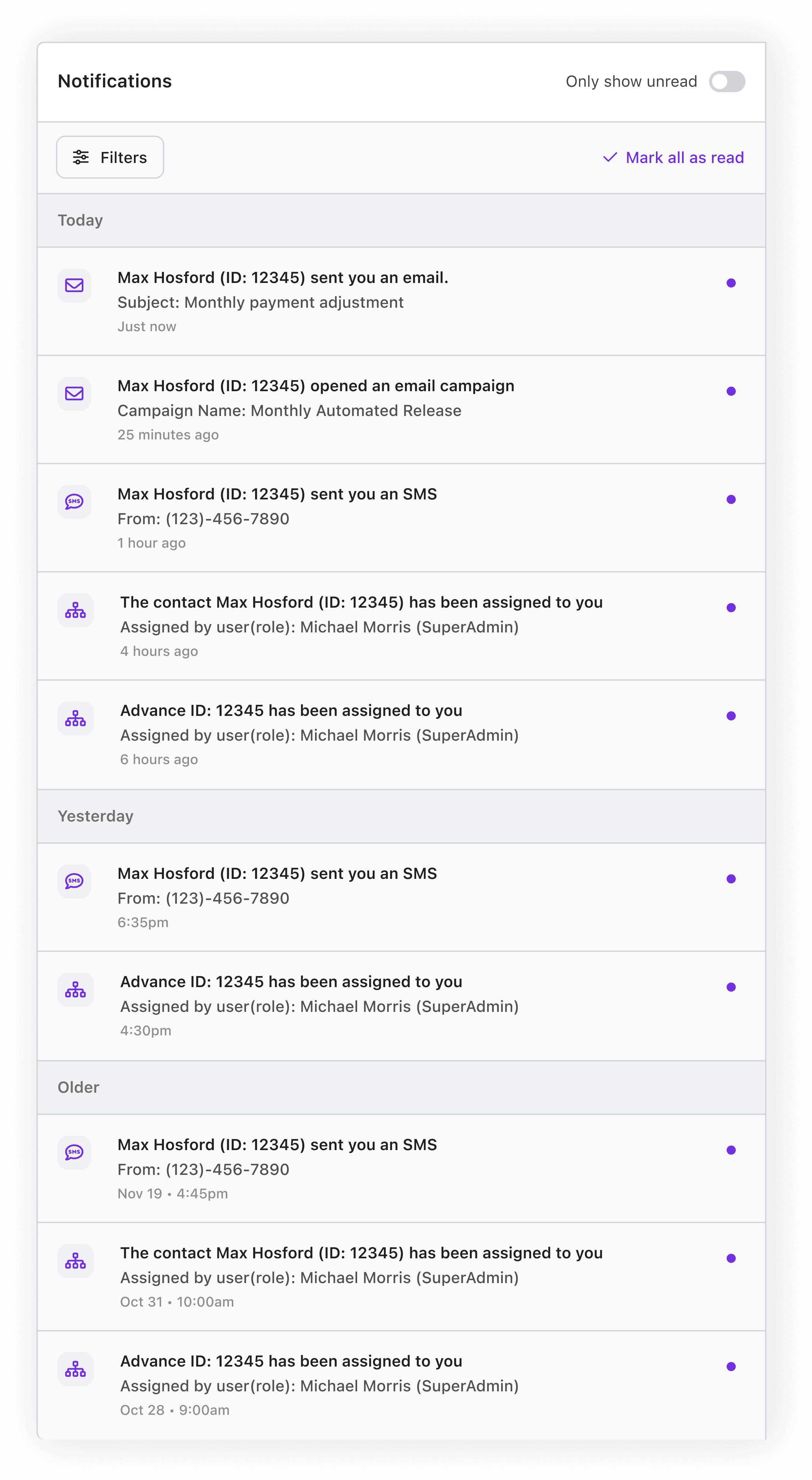
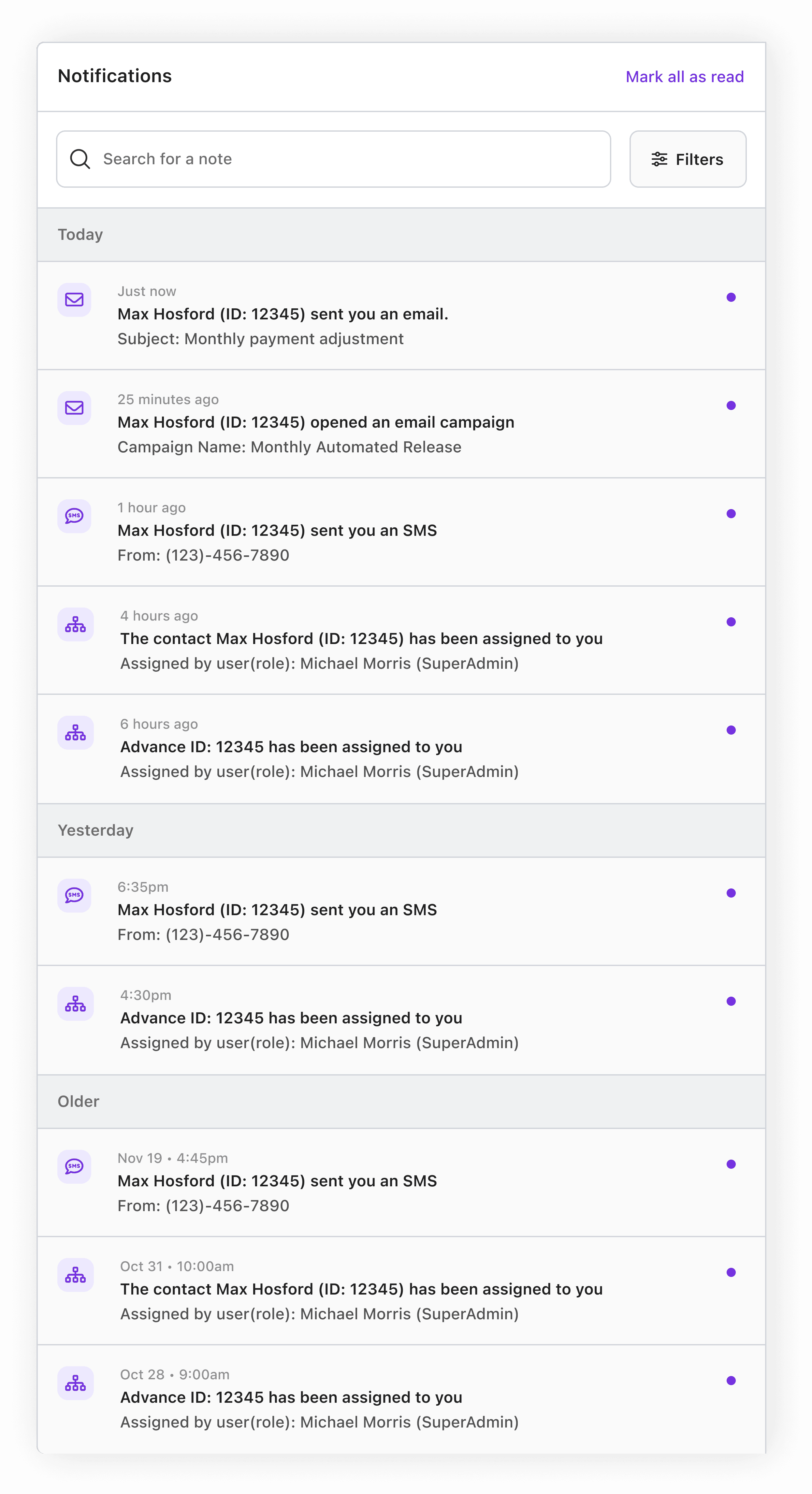
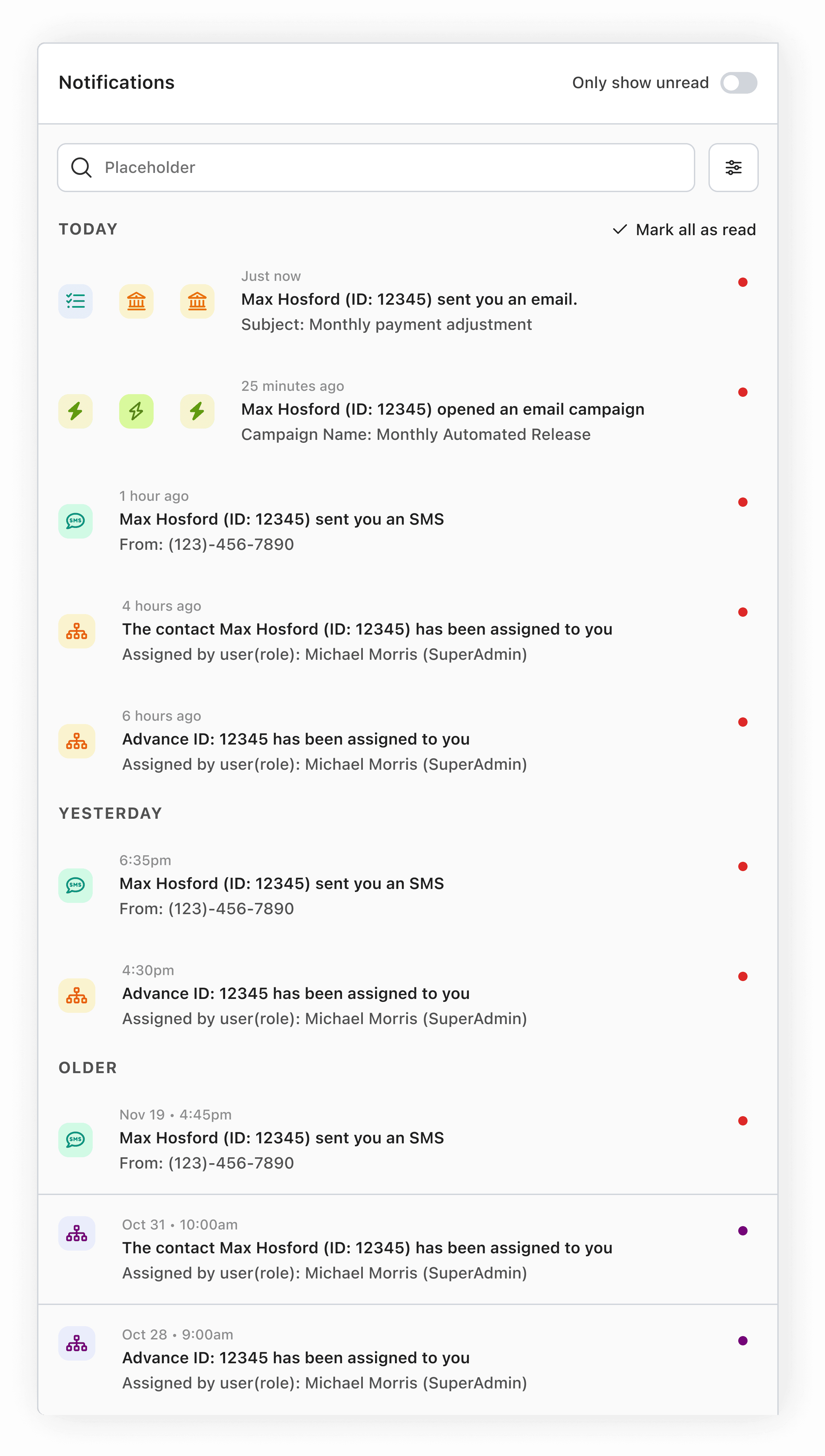
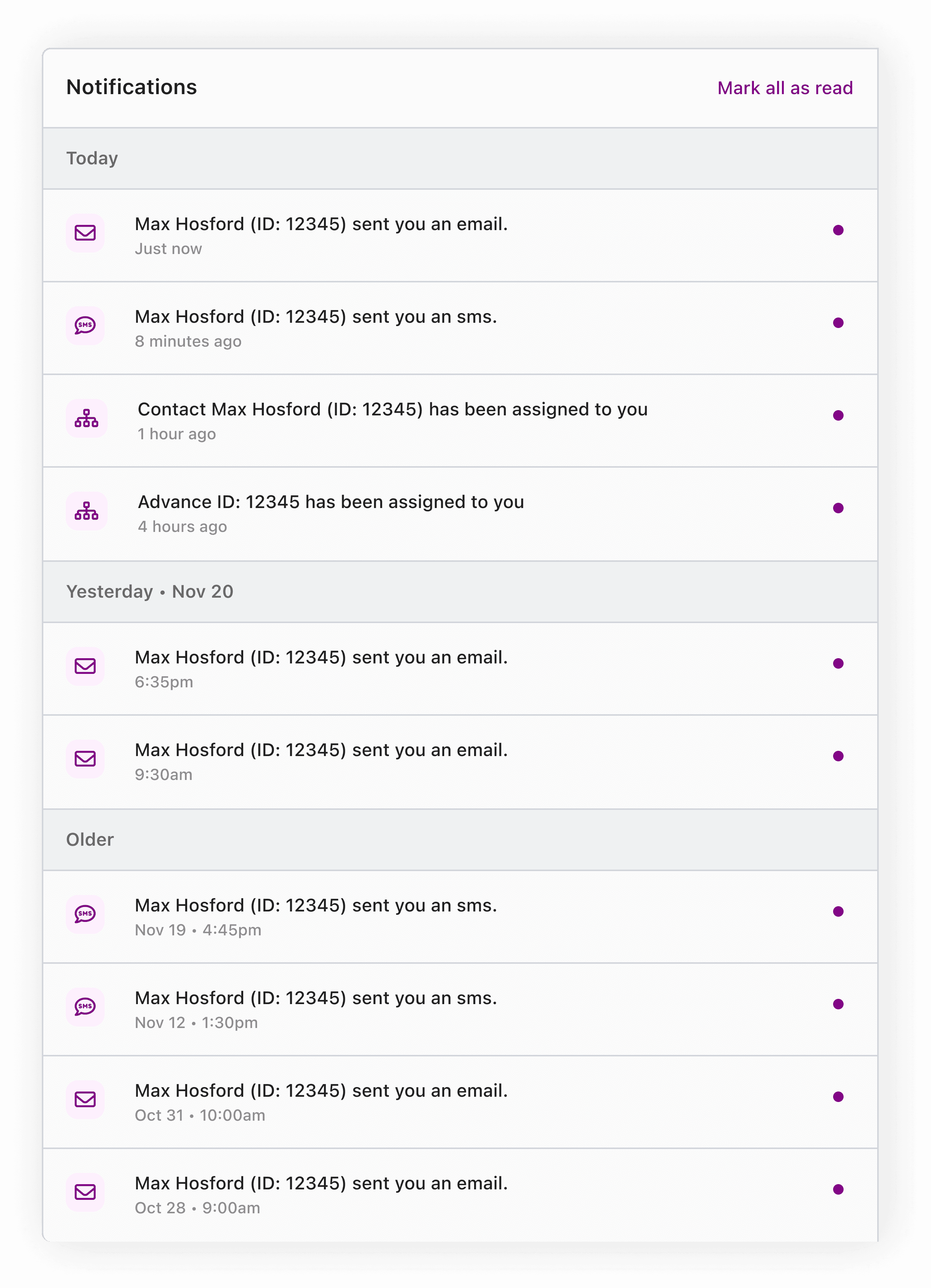
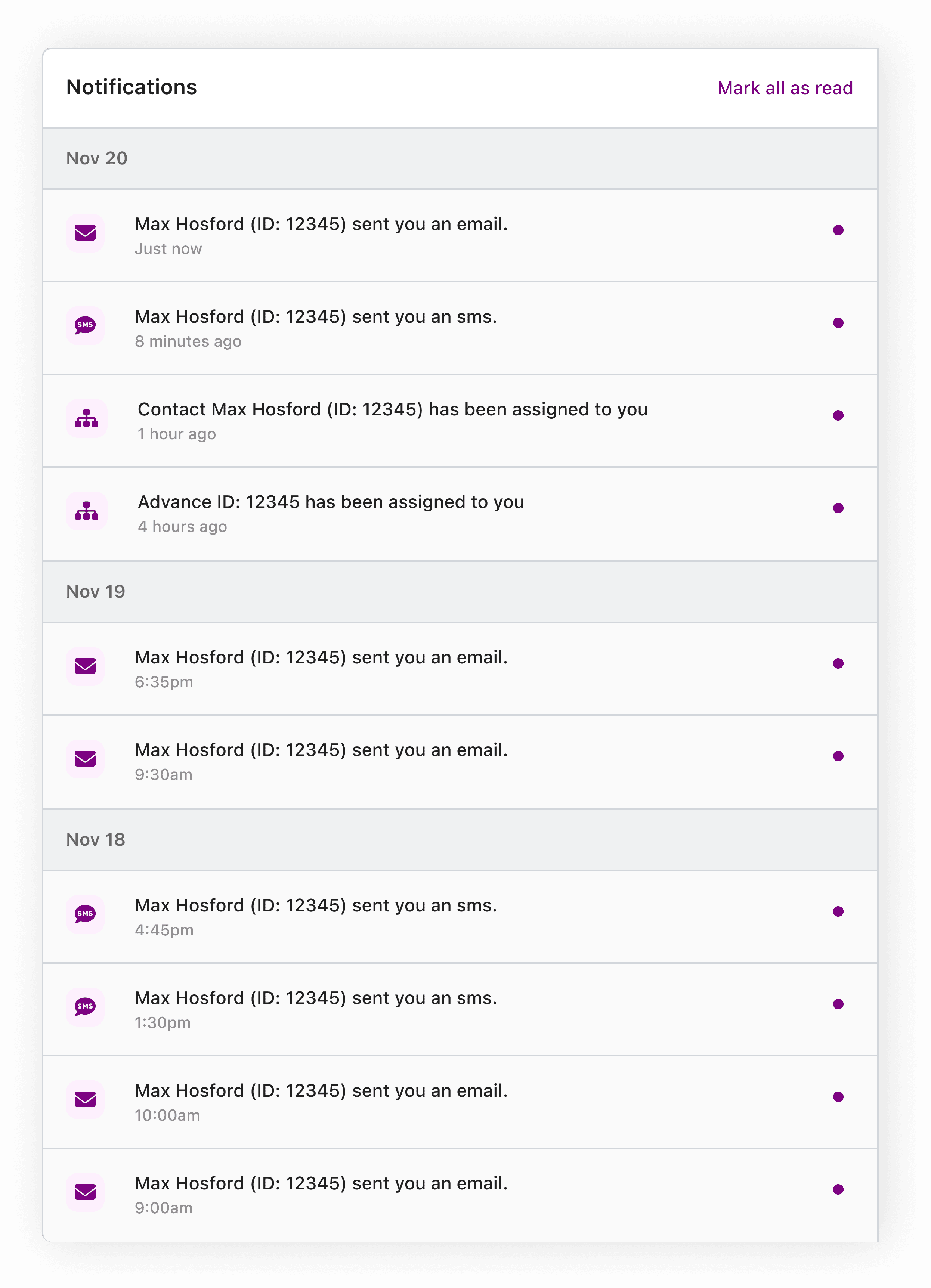

Time was also spent exploring the font weight, contrast, and colors of icons being used for each notification type. In the end, it was decided that assigning color to the icons came with too much implied meaning (do red icon colors mean an error occurred? Does green mean something successfully occurred?). Also unsure of how many categories we may end up as the feature scales, it would be a poor assumption that we could effectively manage a color library to support sufficient combinations.
Time was also spent exploring the font weight, contrast, and colors of icons being used for each notification type. In the end, it was decided that assigning color to the icons came with too much implied meaning (do red icon colors mean an error occurred? Does green mean something successfully occurred?). Also unsure of how many categories we may end up as the feature scales, it would be a poor assumption that we could effectively manage a color library to support sufficient combinations.
Time was also spent exploring the font weight, contrast, and colors of icons being used for each notification type. In the end, it was decided that assigning color to the icons came with too much implied meaning (do red icon colors mean an error occurred? Does green mean something successfully occurred?). Also unsure of how many categories we may end up as the feature scales, it would be a poor assumption that we could effectively manage a color library to support sufficient combinations.
Final Product
Final Product
Final Product
After lots of feedback and iterations of the notification center, we settled on the design that can be explored in the Figma prototype above. Below are some key insights to some of the final decisions.
After lots of feedback and iterations of the notification center, we settled on the design that can be explored in the Figma prototype above. Below are some key insights to some of the final decisions.
After lots of feedback and iterations of the notification center, we settled on the design that can be explored in the Figma prototype above. Below are some key insights to some of the final decisions.
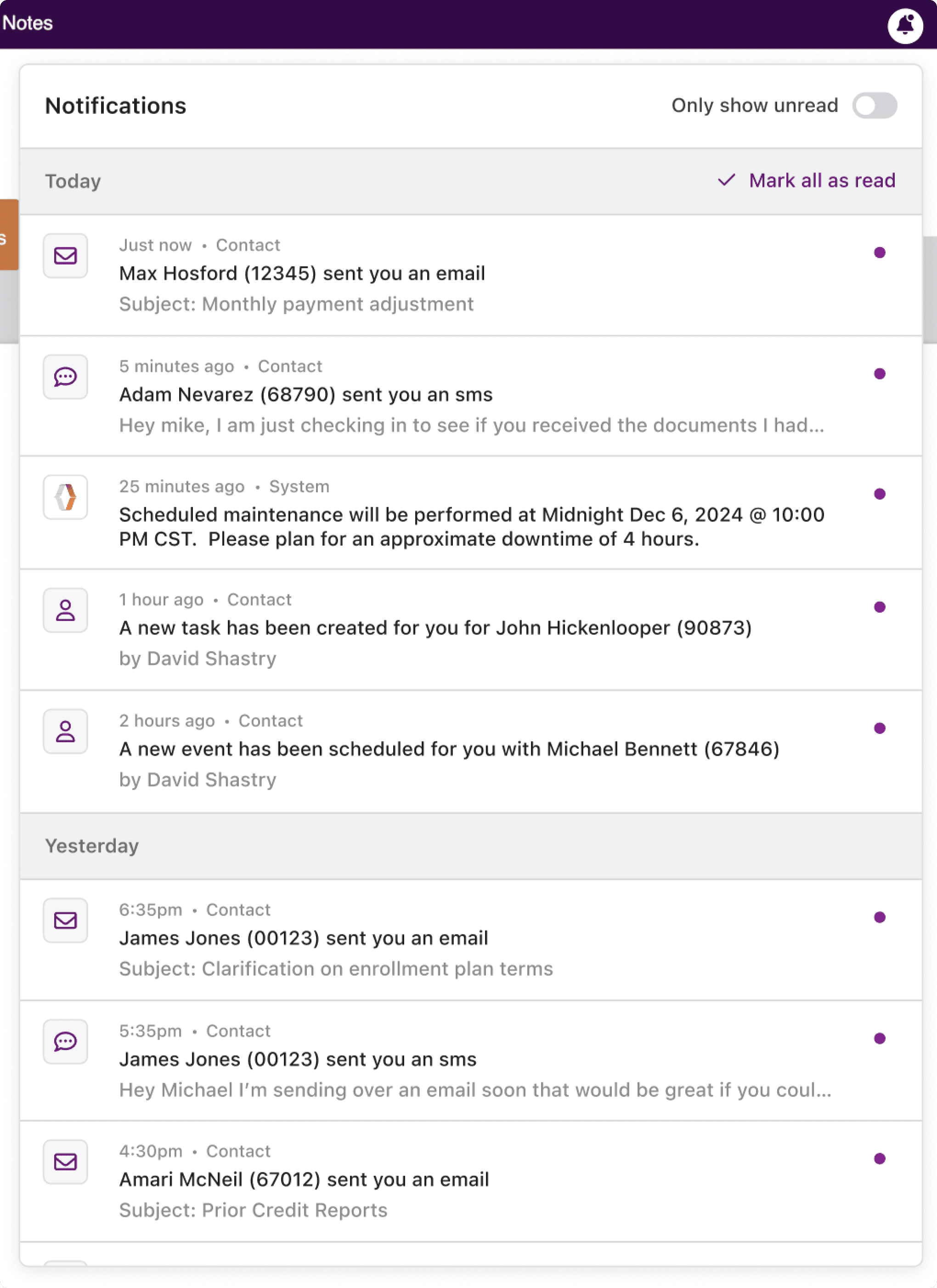
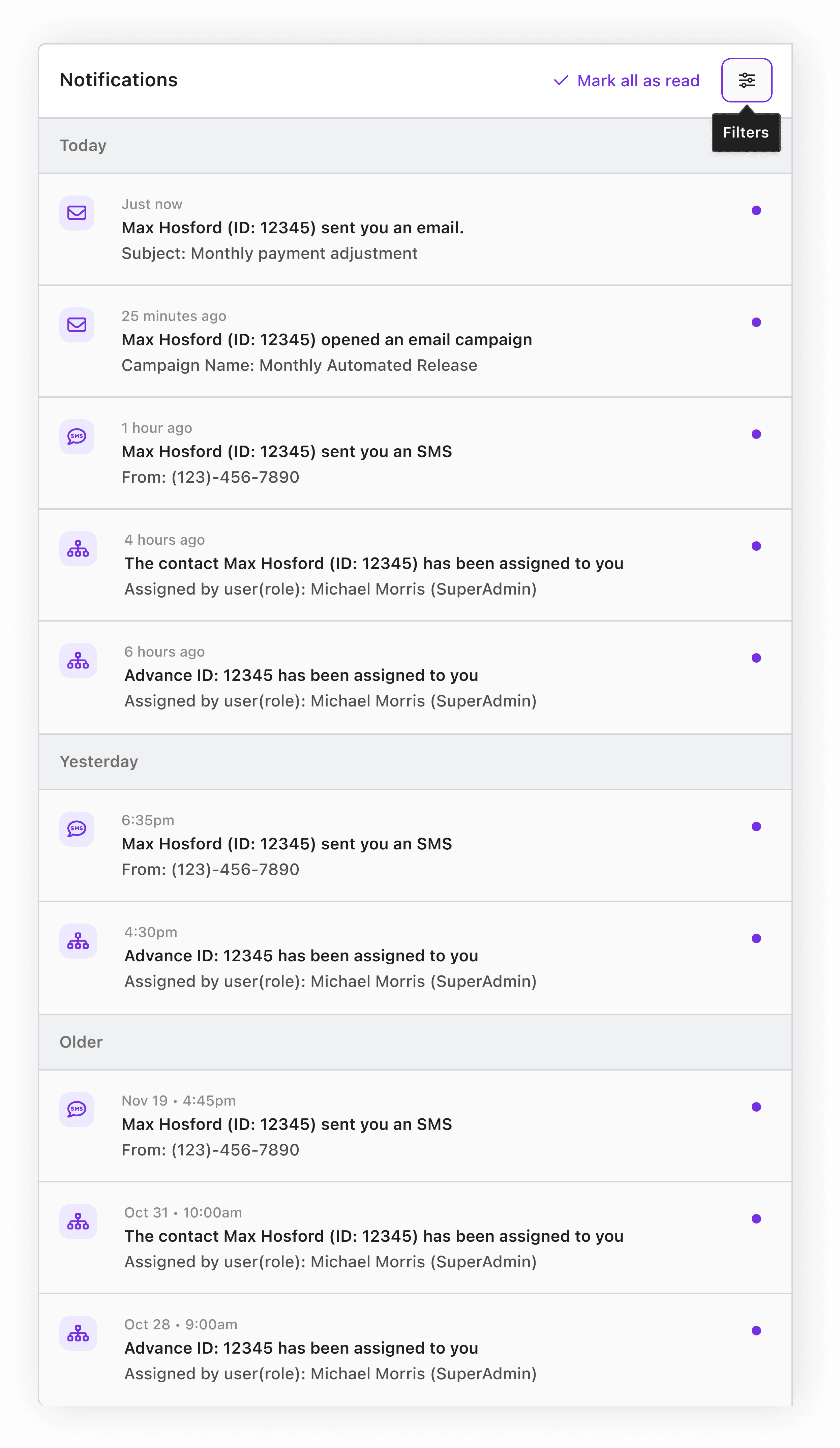
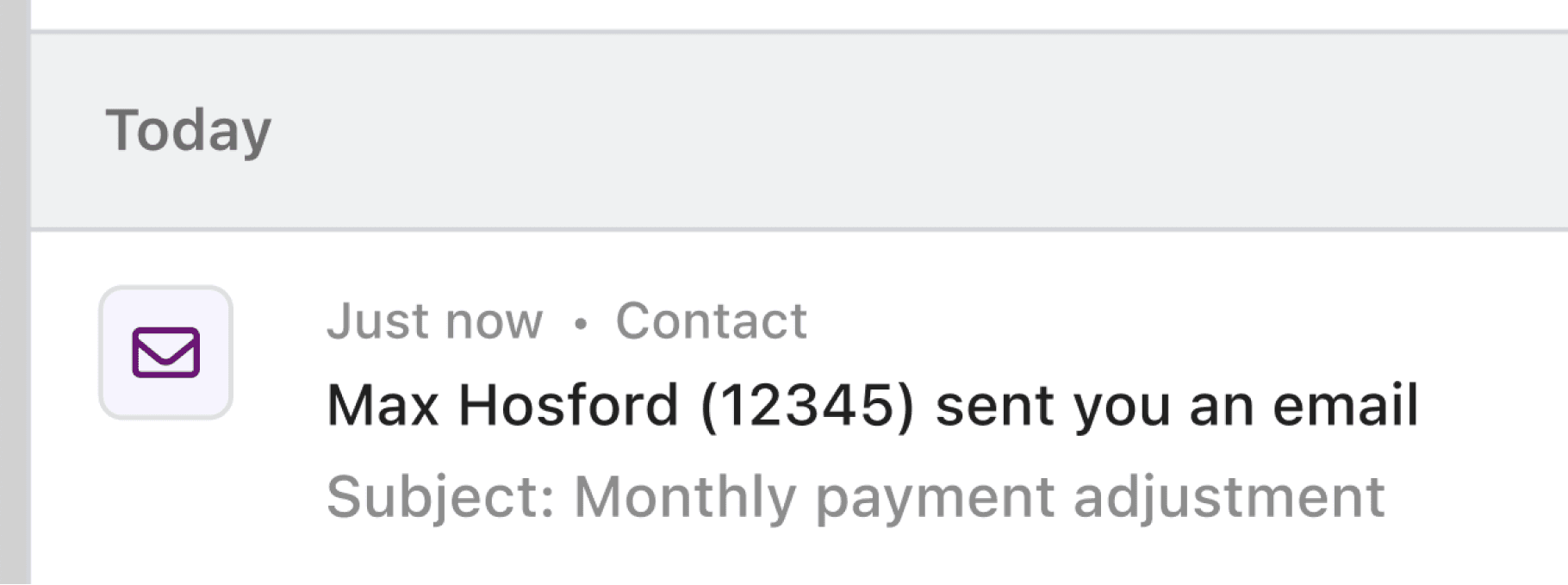
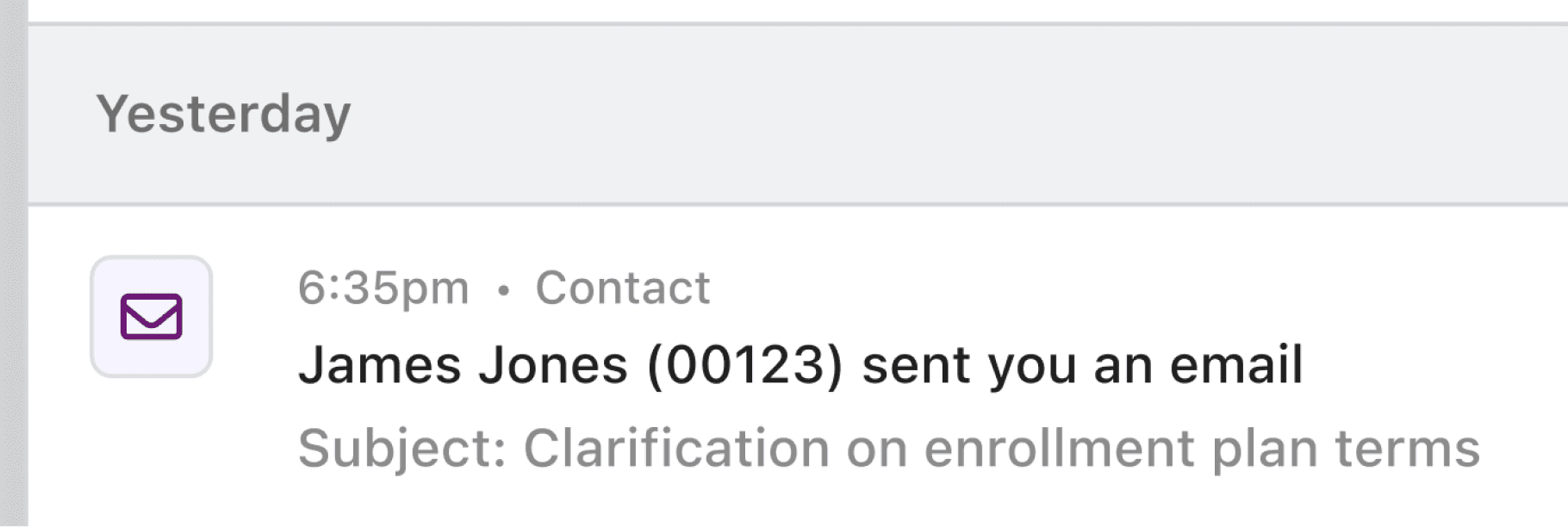
Hierarchy : Team feedback was that the left anchored icon naturally created visual separation between notifications. Since we cannot assume that users know what the icon signifies, we also included a category grouping on each notification.
Hierarchy : Team feedback was that the left anchored icon naturally created visual separation between notifications. Since we cannot assume that users know what the icon signifies, we also included a category grouping on each notification.
Hierarchy : Team feedback was that the left anchored icon naturally created visual separation between notifications. Since we cannot assume that users know what the icon signifies, we also included a category grouping on each notification.
Relevance: When did the event occur? Our team decided to approach the issue of time with a layered approach. The intent with notifications was to provide users with a real time feed of events occurring in the system. For that reason, we broke the feed up between today, yesterday, and older. We don't intend for the feature to be a history log, but to help users take action on items that demand their immediate attention. Users need to know when something happened relative to now. For that reason, notifications within "Today" are displayed with relative time, ones in "Yesterday" have a time stamp, and anything "Older" simply has the date.
Relevance: When did the event occur? Our team decided to approach the issue of time with a layered approach. The intent with notifications was to provide users with a real time feed of events occurring in the system. For that reason, we broke the feed up between today, yesterday, and older. We don't intend for the feature to be a history log, but to help users take action on items that demand their immediate attention. Users need to know when something happened relative to now. For that reason, notifications within "Today" are displayed with relative time, ones in "Yesterday" have a time stamp, and anything "Older" simply has the date.
Relevance: When did the event occur? Our team decided to approach the issue of time with a layered approach. The intent with notifications was to provide users with a real time feed of events occurring in the system. For that reason, we broke the feed up between today, yesterday, and older. We don't intend for the feature to be a history log, but to help users take action on items that demand their immediate attention. Users need to know when something happened relative to now. For that reason, notifications within "Today" are displayed with relative time, ones in "Yesterday" have a time stamp, and anything "Older" simply has the date.
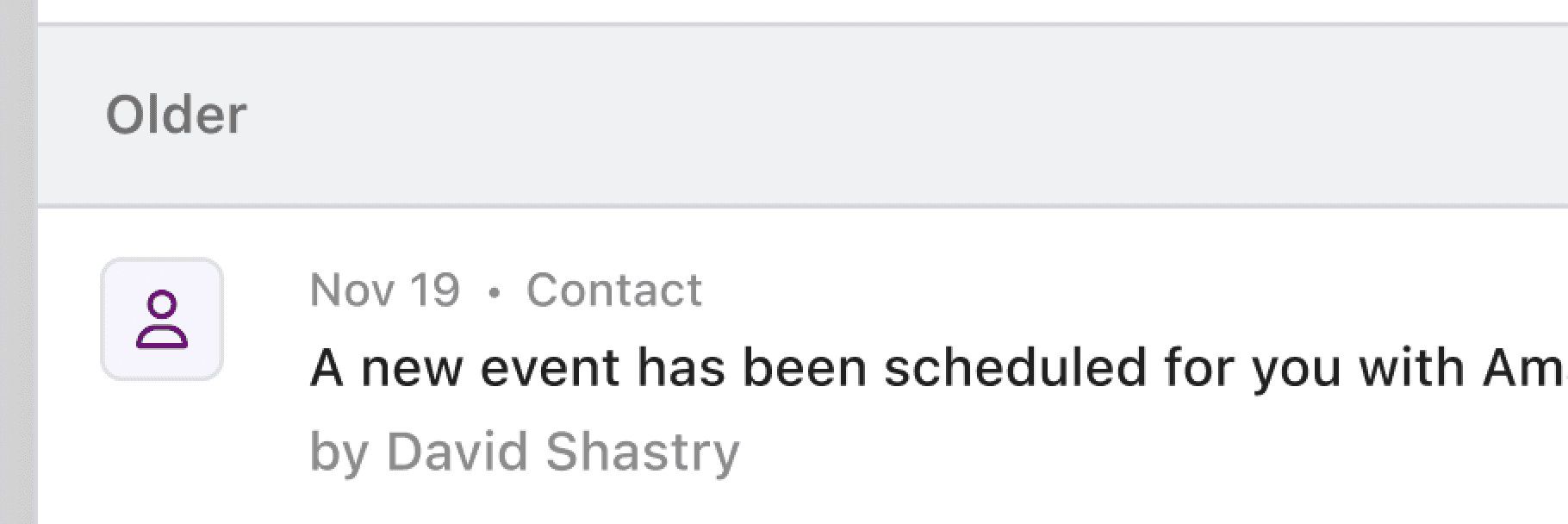
To Filter or Not to Filter?: In the end, we decided not to include absolute filters. By absolute, I mean filters like text search or category. The intent of the notification center was not to become a history log, but to update users on events happening now. To help users focus on the now, we included relative filters like the ability to mark notifications as read or unread or to only show unread notifications.
To Filter or Not to Filter?: In the end, we decided not to include absolute filters. By absolute, I mean filters like text search or category. The intent of the notification center was not to become a history log, but to update users on events happening now. To help users focus on the now, we included relative filters like the ability to mark notifications as read or unread or to only show unread notifications.
To Filter or Not to Filter?: In the end, we decided not to include absolute filters. By absolute, I mean filters like text search or category. The intent of the notification center was not to become a history log, but to update users on events happening now. To help users focus on the now, we included relative filters like the ability to mark notifications as read or unread or to only show unread notifications.

Limitations, Conclusion, & Future
Limitations, Conclusion, & Future
Limitations, Conclusion, & Future
Satisfied with the outcome, our team is working on the release of this feature to our Beta environment for user testing and feedback. As an item in progress, our team looks forward to finding ways to incorporate it with some of our legacy features while also receiving feedback from users for improvements.
Satisfied with the outcome, our team is working on the release of this feature to our Beta environment for user testing and feedback. As an item in progress, our team looks forward to finding ways to incorporate it with some of our legacy features while also receiving feedback from users for improvements.
Satisfied with the outcome, our team is working on the release of this feature to our Beta environment for user testing and feedback. As an item in progress, our team looks forward to finding ways to incorporate it with some of our legacy features while also receiving feedback from users for improvements.
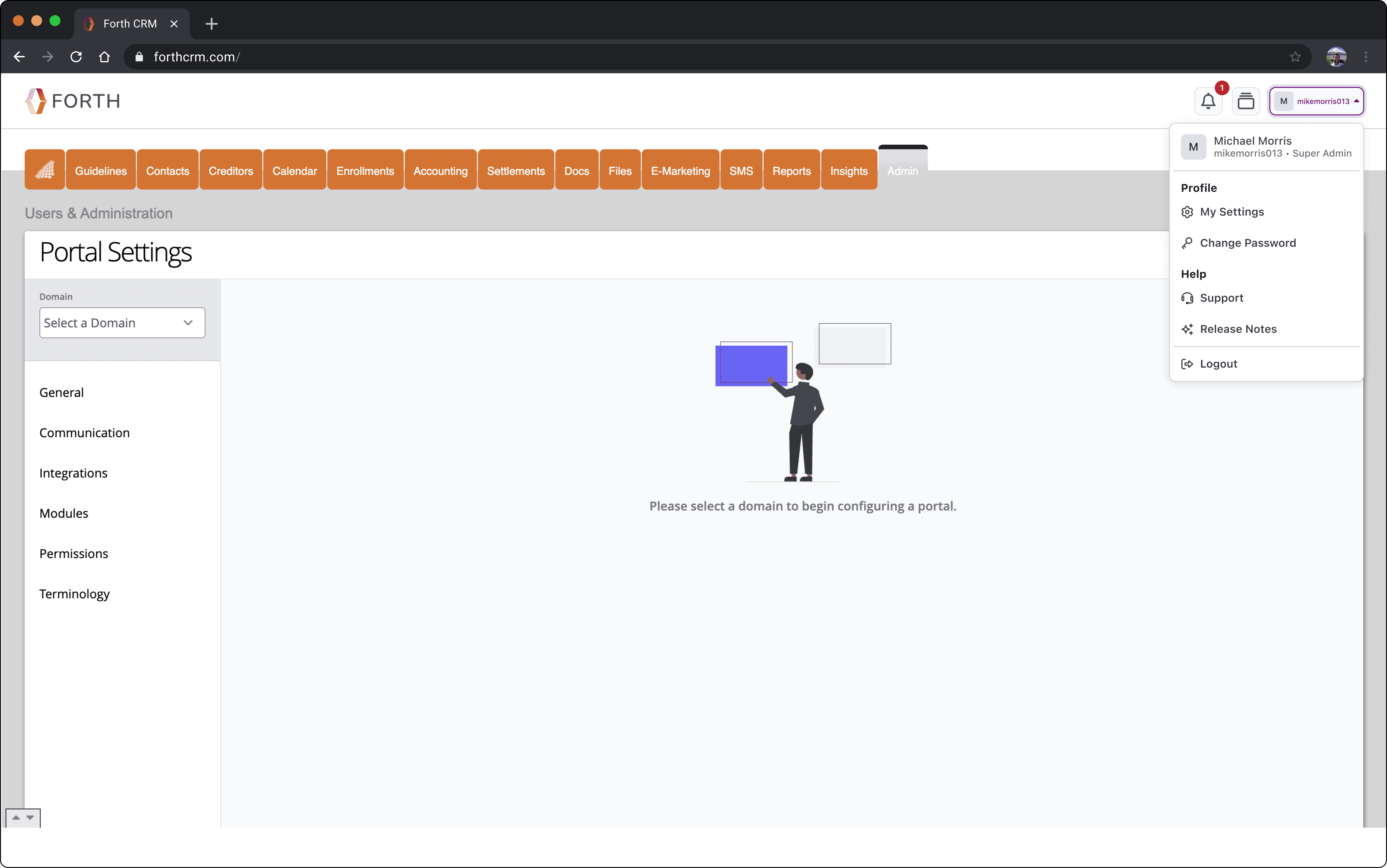
Some limitations our team dealt with included areas where legacy code and parts of the system existed. For example, the location of our bell icon is located in a header that individual accounts can control with a legacy theming system. It was not within the scope of the project to refactor the header to allow us to have a more prominent and accessible target area. Visually the header is outdated, and collides with the legacy navigation menu below it.
Some limitations our team dealt with included areas where legacy code and parts of the system existed. For example, the location of our bell icon is located in a header that individual accounts can control with a legacy theming system. It was not within the scope of the project to refactor the header to allow us to have a more prominent and accessible target area. Visually the header is outdated, and collides with the legacy navigation menu below it.
Some limitations our team dealt with included areas where legacy code and parts of the system existed. For example, the location of our bell icon is located in a header that individual accounts can control with a legacy theming system. It was not within the scope of the project to refactor the header to allow us to have a more prominent and accessible target area. Visually the header is outdated, and collides with the legacy navigation menu below it.
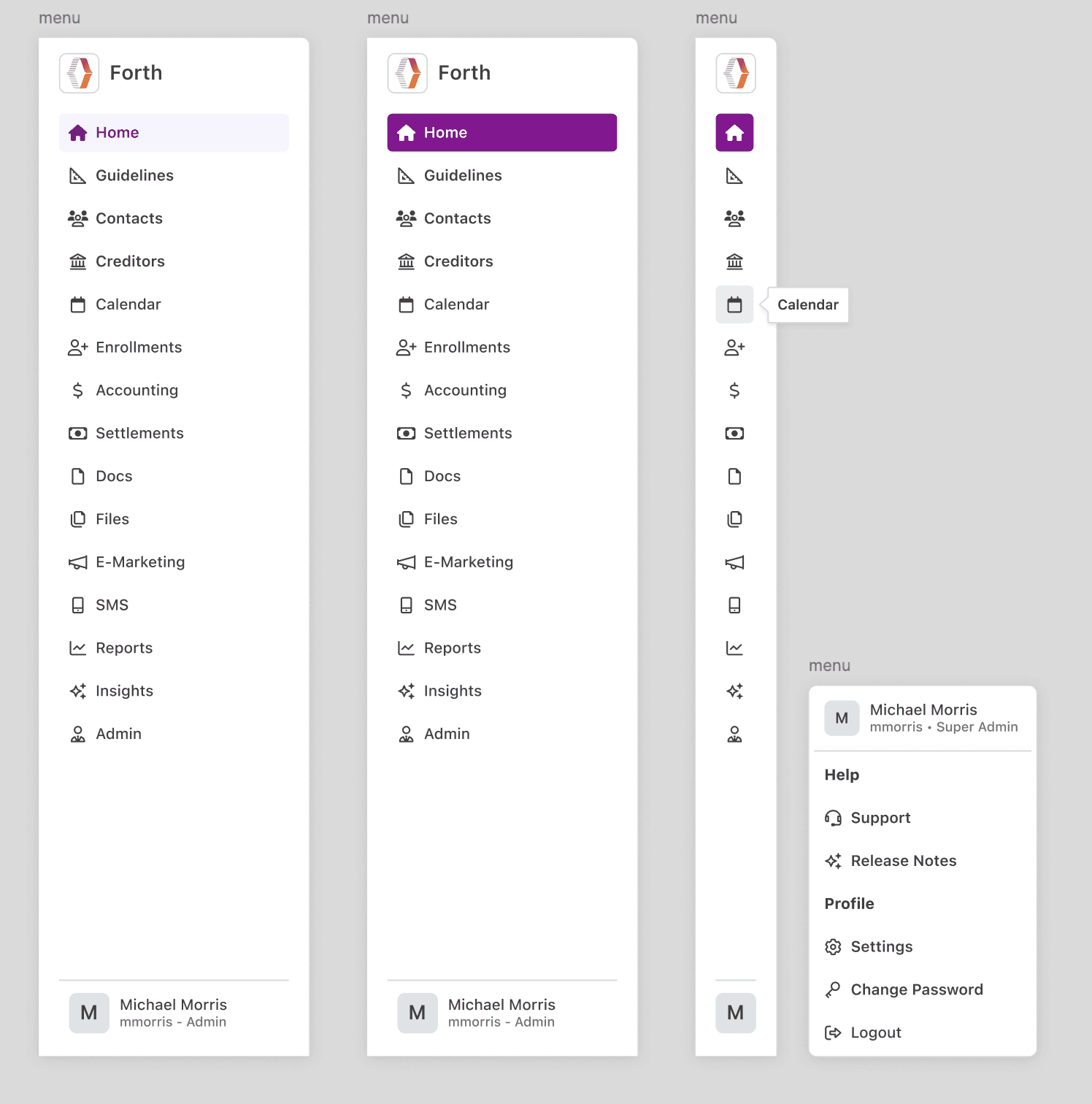
Although we are not refactoring now, we spent some time exploring what an updated header and navigation menu could look like.
Although we are not refactoring now, we spent some time exploring what an updated header and navigation menu could look like.
Although we are not refactoring now, we spent some time exploring what an updated header and navigation menu could look like.