

Upped Events Kitchen Display System
Upped Events Kitchen
Display System
Role
Product Designer
Project Scope
3 Months, Mobile App
Tools Used
Figma, Google Suite, Slack
Role
Product Designer
Project Scope
3 Months, Mobile App
Tools Used
Figma, Google Suite, Slack
Role
Product Designer
Project Scope
3 Months, Mobile App
Tools Used
Figma, Google Suite, Slack
Project Brief
Project Brief
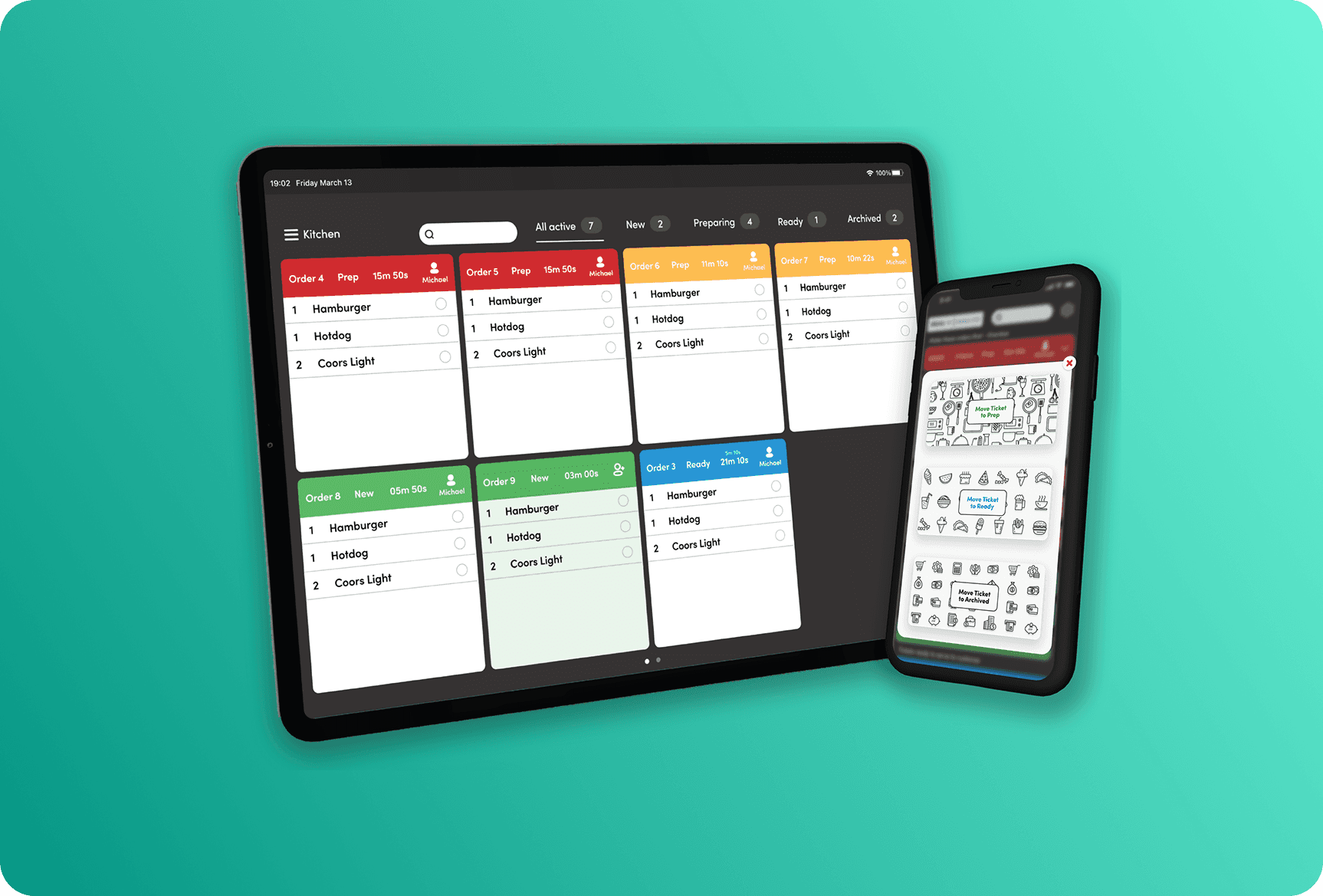
My time at Upped Events was focused on designing a Kitchen Display System (KDS) to help vendors at events process orders. I worked with the COO, who provided product requirements, to redesign the current version of the product. The end result was a KDS app designed to function on mobile and tablet devices (with considerations for portrait and landscape mode). This project included doing a competitive analysis, developing a feature inventory list, and the design of over 200 different screens to outline tablet and mobile designs.
My time at Upped Events was focused on designing a Kitchen Display System (KDS) to help vendors at events process orders. I worked with the COO, who provided product requirements, to redesign the current version of the product. The end result was a KDS app designed to function on mobile and tablet devices (with considerations for portrait and landscape mode). This project included doing a competitive analysis, developing a feature inventory list, and the design of over 200 different screens to outline tablet and mobile designs.
Problem
Problem
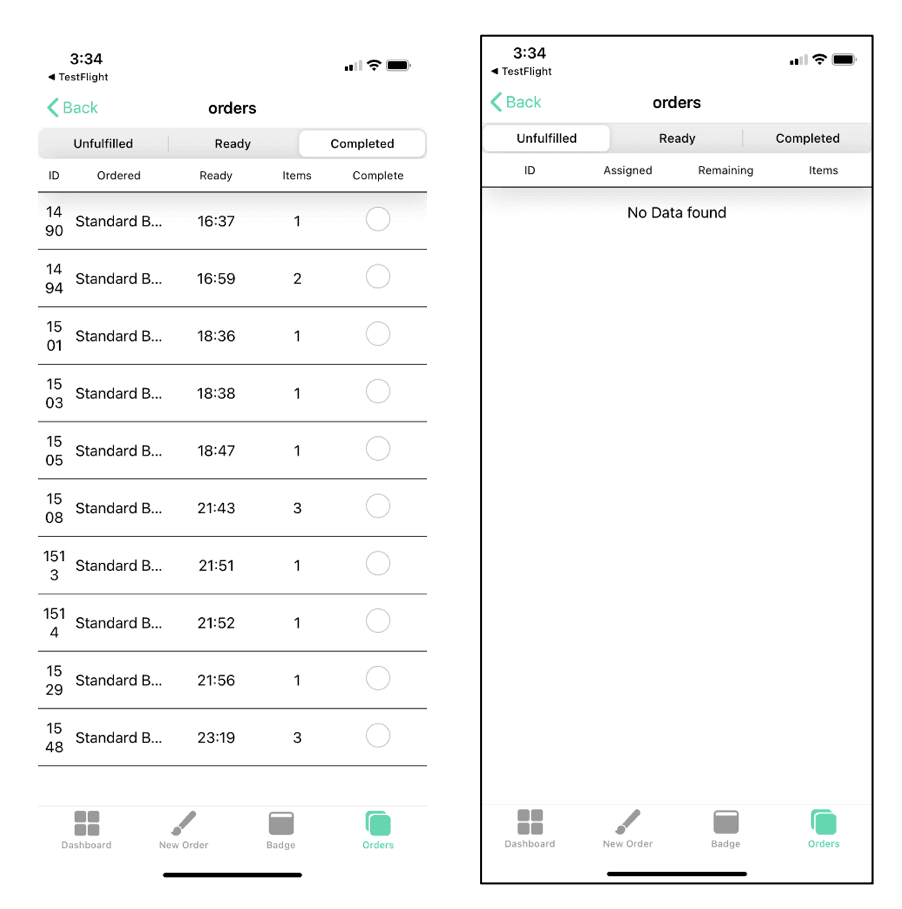
After an event attendee orders an item on their device, the order is sent to the vendor to fulfill. Right now, the screens and processes that vendors use to fulfill orders is not sufficient.
The current layout does not display enough information regarding orders
The current UI is not easy to understand due to multiple navigation levels
There is no clear visual flow for orders that need processing
After an event attendee orders an item on their device, the order is sent to the vendor to fulfill. Right now, the screens and processes that vendors use to fulfill orders is not sufficient.
The current layout does not display enough information regarding orders
The current UI is not easy to understand due to multiple navigation levels
There is no clear visual flow for orders that need processing
Current UI
Current UI
Design Requirements
Design Requirements
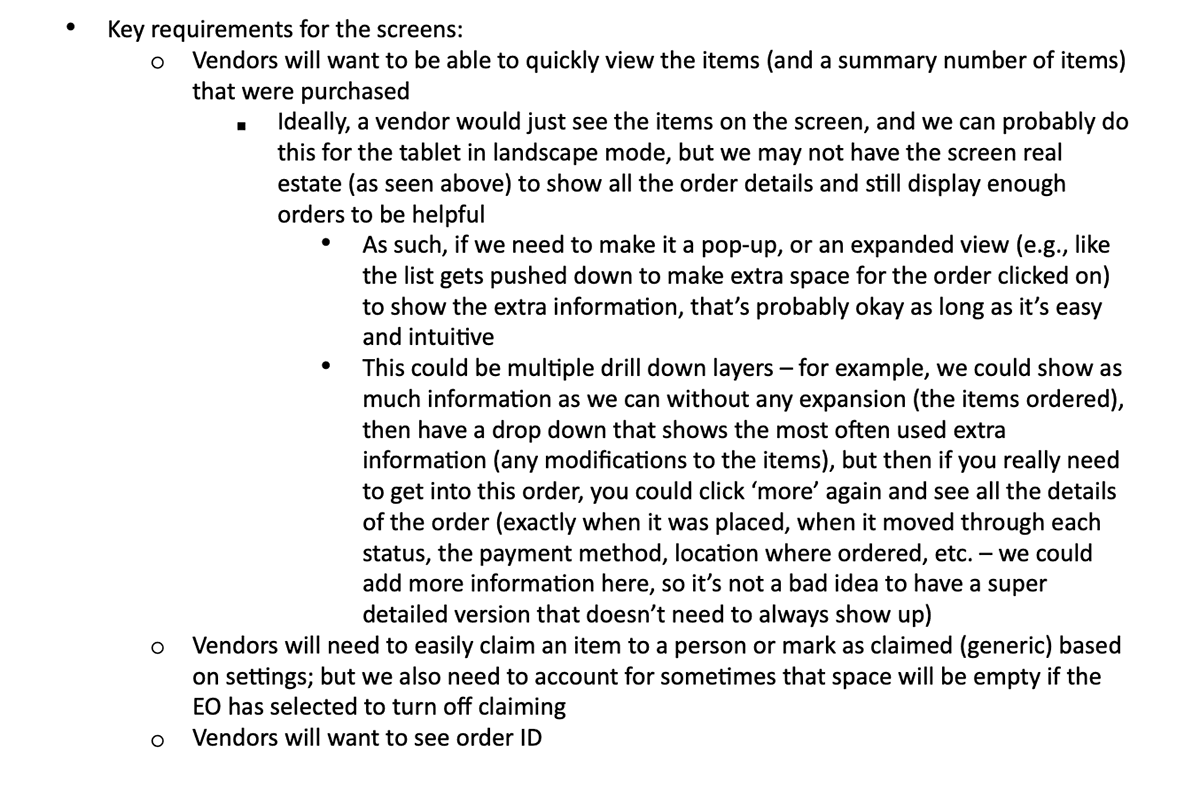
Design an order management system for tablets in landscape, and on mobile in portrait and landscape
Orders show up as unfulfilled, a staff member claims the order, that staff member completes the order
Allow for vendors to individually turn on and off claiming capability: For those that don't want to have claiming, incorporate a general claimed function for orders
Ability to add staff members for claiming
Ability for a vendor to mark items as ready for pickup
Once an order is picked up, the ticket can be closed
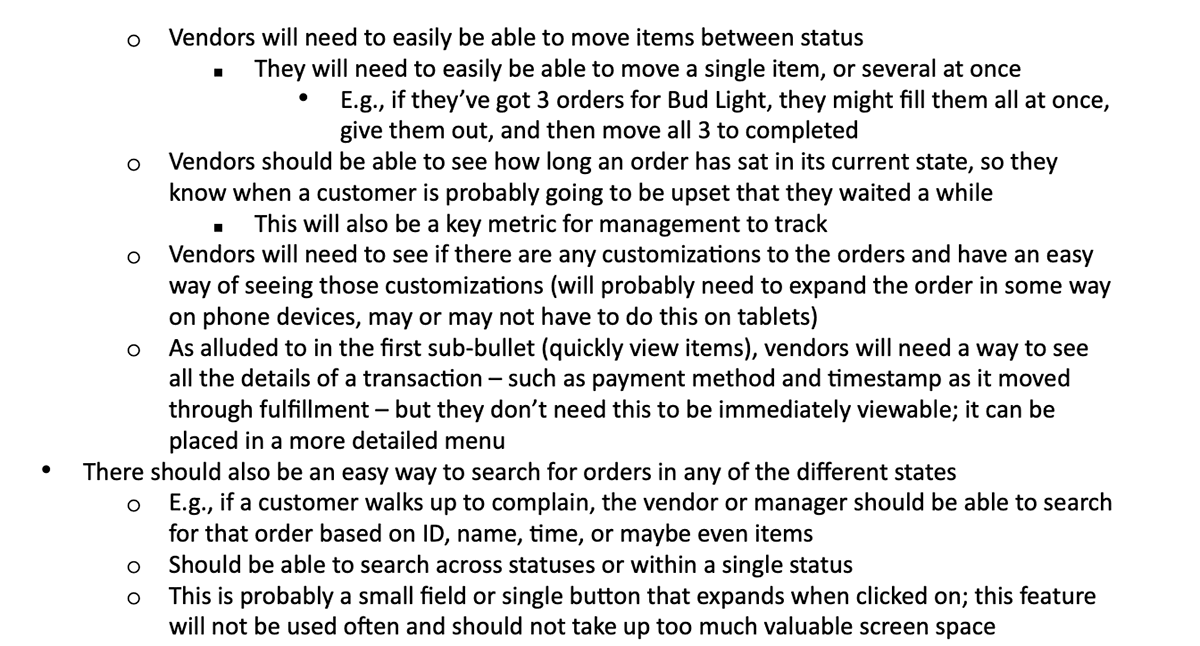
Tickets can be searched and refunded
Hoping for Kanban type design
More detailed product specifications can be found below.
Design an order management system for tablets in landscape, and on mobile in portrait and landscape
Orders show up as unfulfilled, a staff member claims the order, that staff member completes the order
Allow for vendors to individually turn on and off claiming capability: For those that don't want to have claiming, incorporate a general claimed function for orders
Ability to add staff members for claiming
Ability for a vendor to mark items as ready for pickup
Once an order is picked up, the ticket can be closed
Tickets can be searched and refunded
Hoping for Kanban type design
More detailed product specifications can be found below.
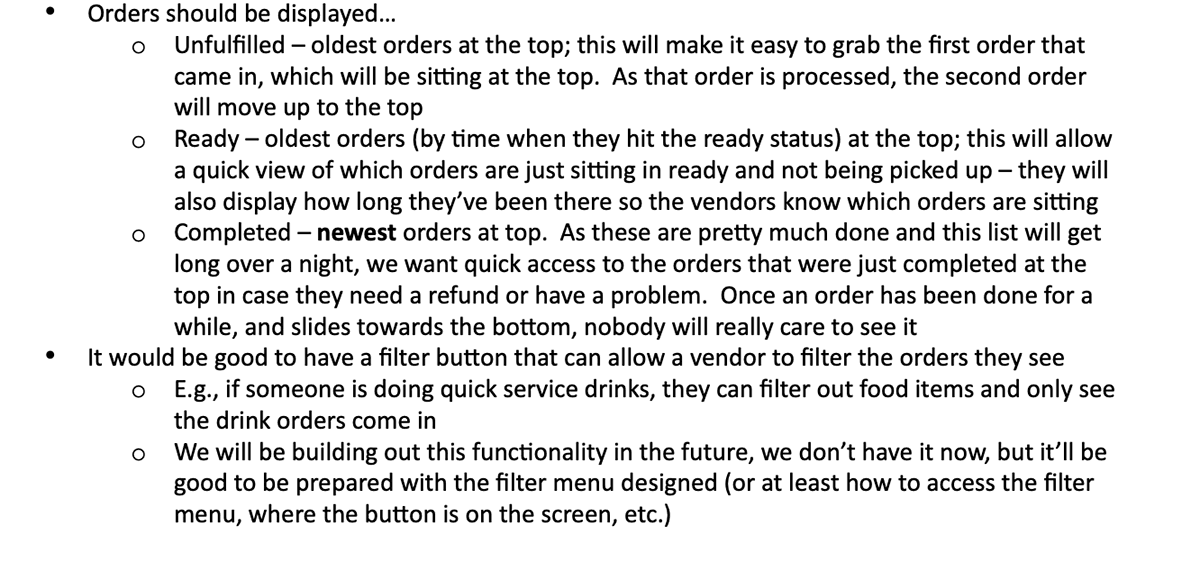
Research: Competitive Analysis
Research: Competitive Analysis
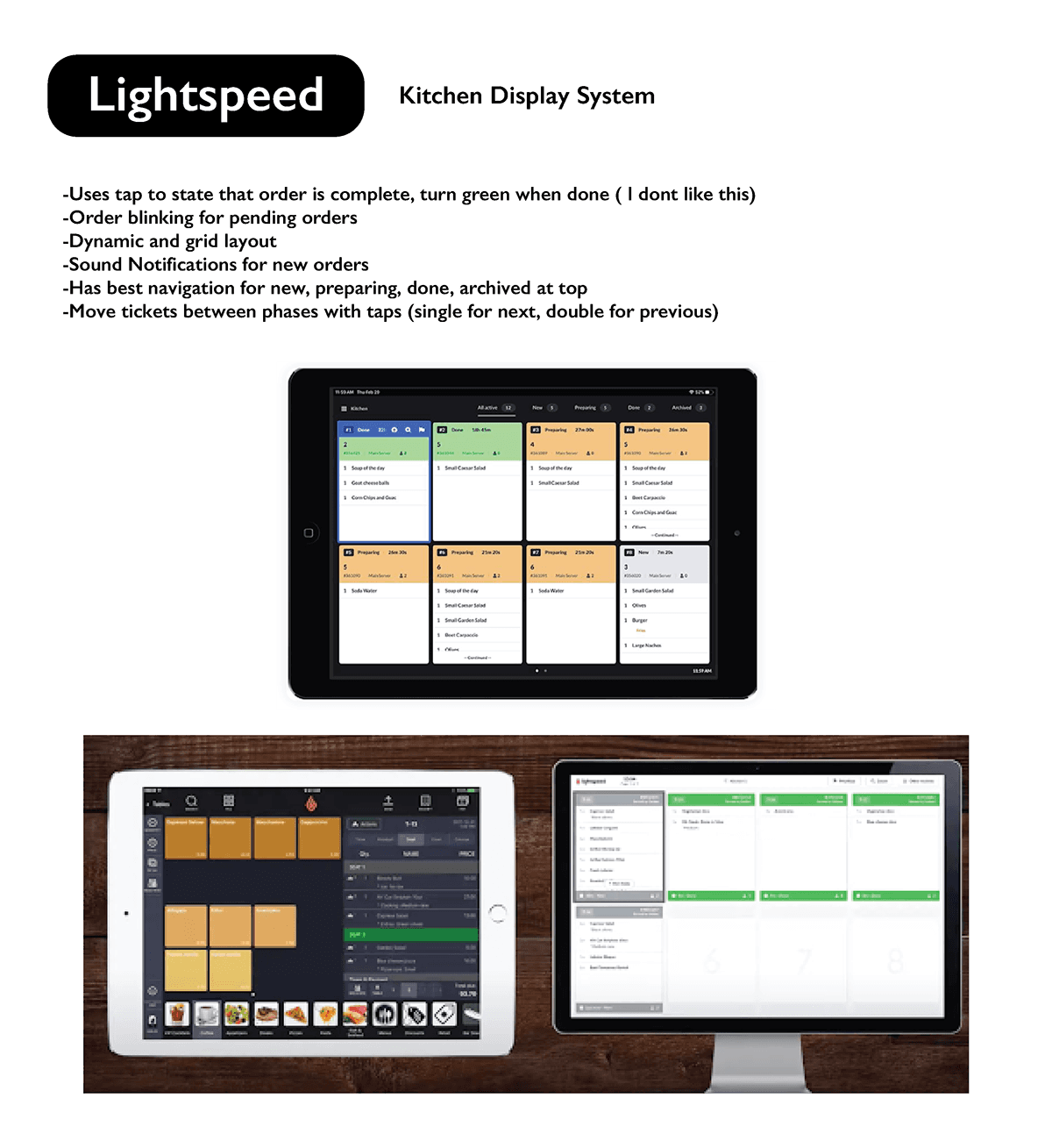
To help get an idea on how our KDS should work, I did some competitive analysis to see how other companies have designed theirs and what features they tend to include.
To help get an idea on how our KDS should work, I did some competitive analysis to see how other companies have designed theirs and what features they tend to include.
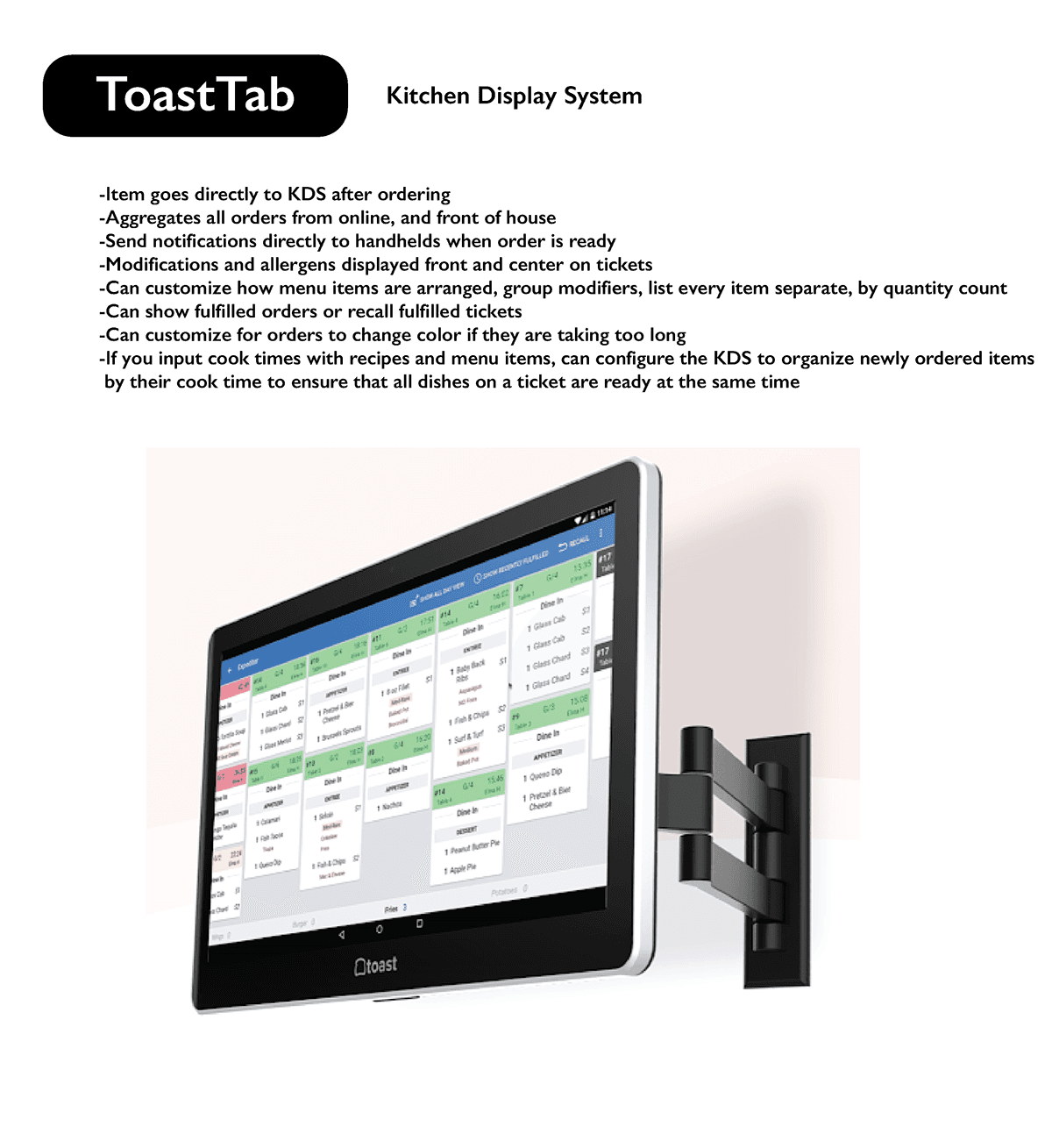
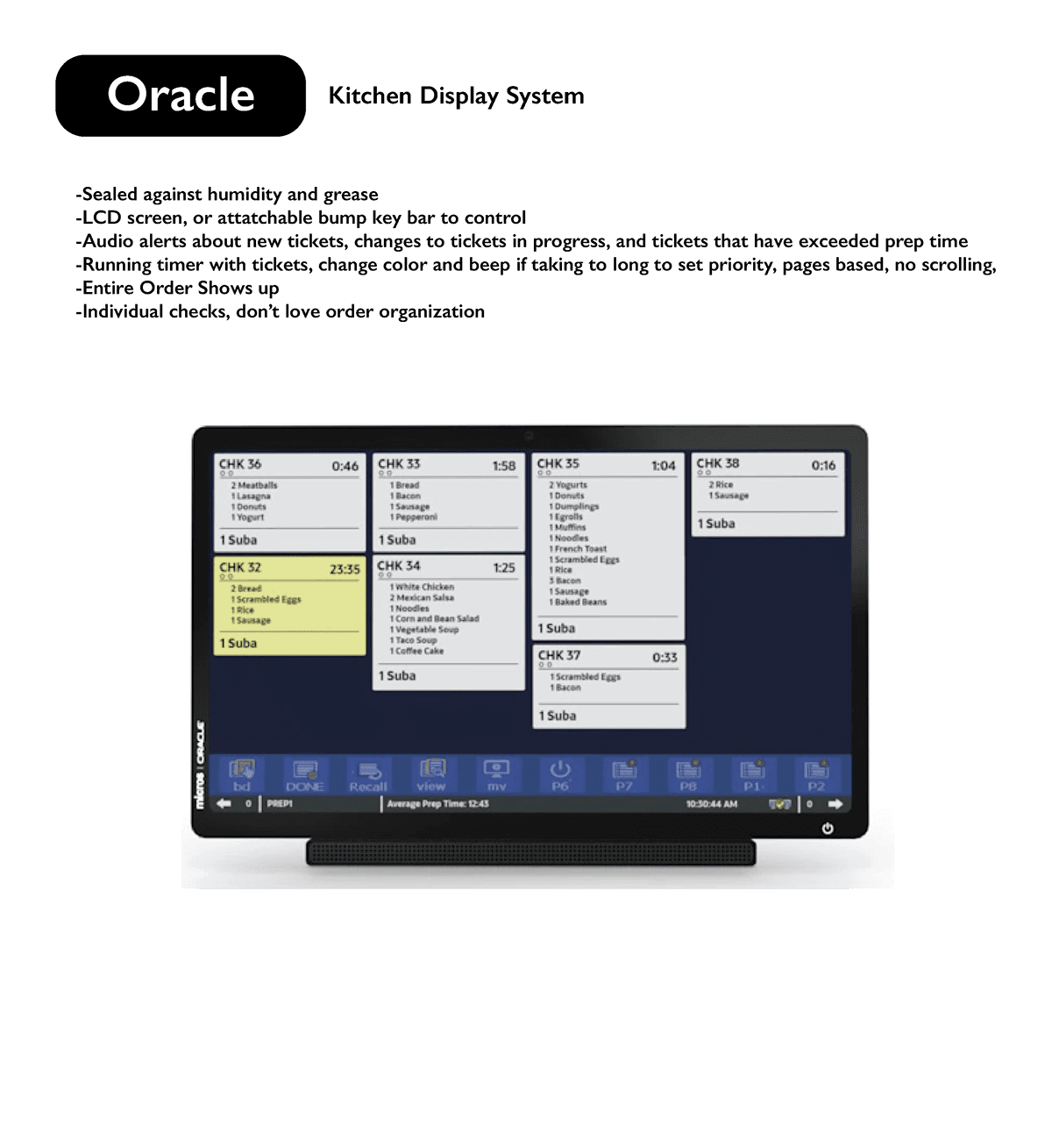
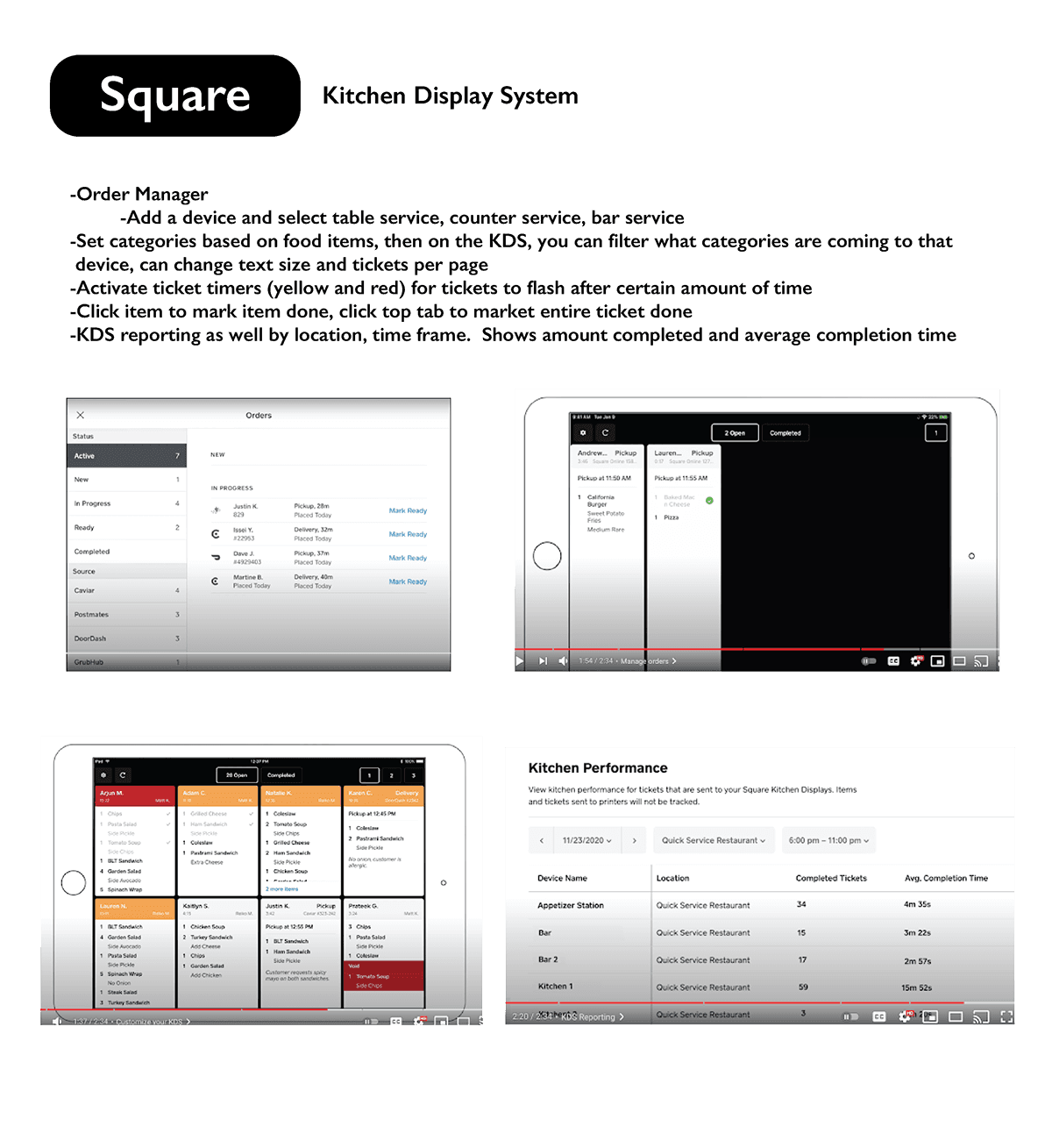

Research: Feature Inventory Checklist
Research: Feature Inventory Checklist
To see how the market compared to what we were hoping to offer. I created a feature inventory checklist. Using the product requirements mentioned above, I created a list of required features for our KDS. I then compared this feature inventory list to all the products I did a competitive analysis against. This helped outline what functionality is required from an industry standard KDS, and outlined what features could help our product stand out from the crowd.
To see how the market compared to what we were hoping to offer. I created a feature inventory checklist. Using the product requirements mentioned above, I created a list of required features for our KDS. I then compared this feature inventory list to all the products I did a competitive analysis against. This helped outline what functionality is required from an industry standard KDS, and outlined what features could help our product stand out from the crowd.
User Flows
User Flows
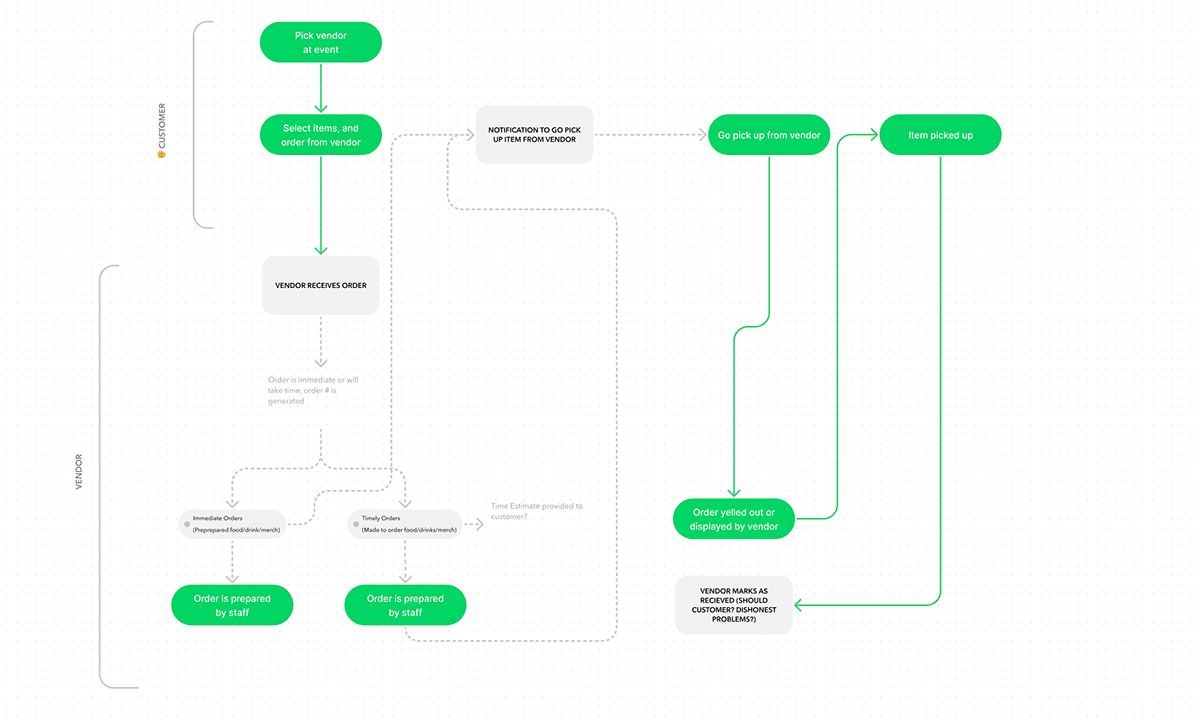
To help understand how the order process, I created a user flow for creating an order and processing an order. Doing this would help to detail the flow needed for vendors to process customer orders in the KDS. Mapping out the flow for customers placing orders would also help identify the steps needed for vendors to deliver orders.
To help understand how the order process, I created a user flow for creating an order and processing an order. Doing this would help to detail the flow needed for vendors to process customer orders in the KDS. Mapping out the flow for customers placing orders would also help identify the steps needed for vendors to deliver orders.

Lo-Fi Prototyping
Lo-Fi Prototyping
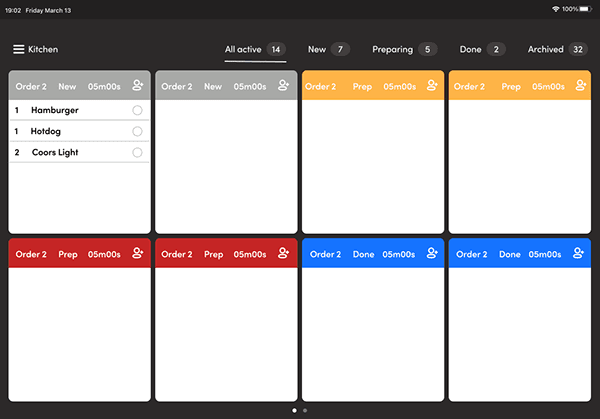
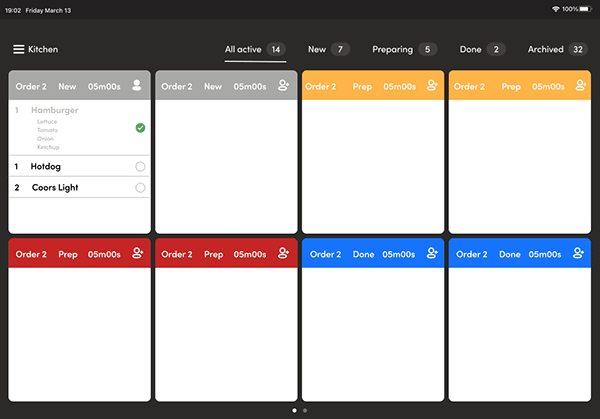
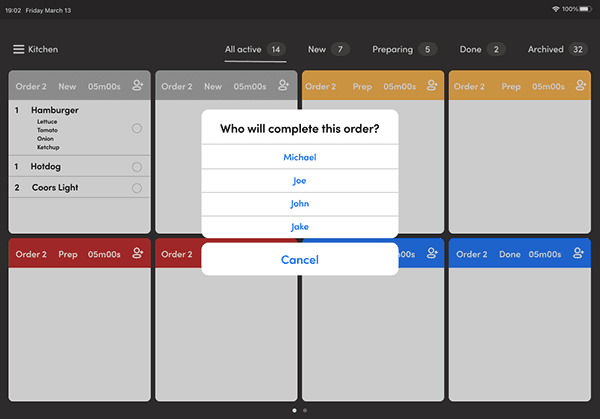
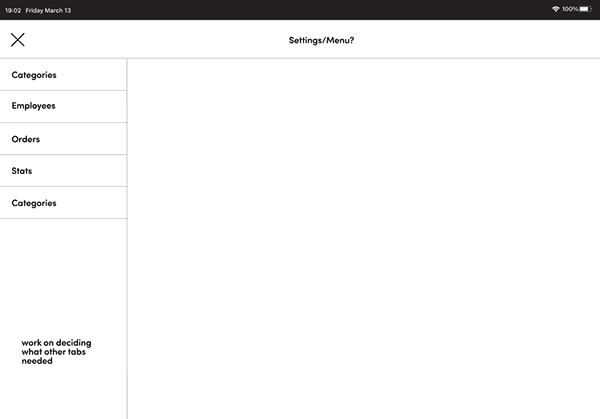
I completed my initial prototypes by building the most basic, and crucial screens. I had scheduled design reviews and I treated each time in between as a development cycle. In total it took 5 design cycles to get from the initial screens above to the final ones below. I set out goals at the start of each cycle and focused on completing them through the cycle. I started each next cycle with revisions from design reviews and user feedback. Since our design goal was to focus on landscape for tablet, I focused on those designs first. Once tablet designs were completely done and approved, I moved on to completing both mobile designs using the tablet design systems.
I completed my initial prototypes by building the most basic, and crucial screens. I had scheduled design reviews and I treated each time in between as a development cycle. In total it took 5 design cycles to get from the initial screens above to the final ones below. I set out goals at the start of each cycle and focused on completing them through the cycle. I started each next cycle with revisions from design reviews and user feedback. Since our design goal was to focus on landscape for tablet, I focused on those designs first. Once tablet designs were completely done and approved, I moved on to completing both mobile designs using the tablet design systems.


Establishing a Design System
Establishing a Design System
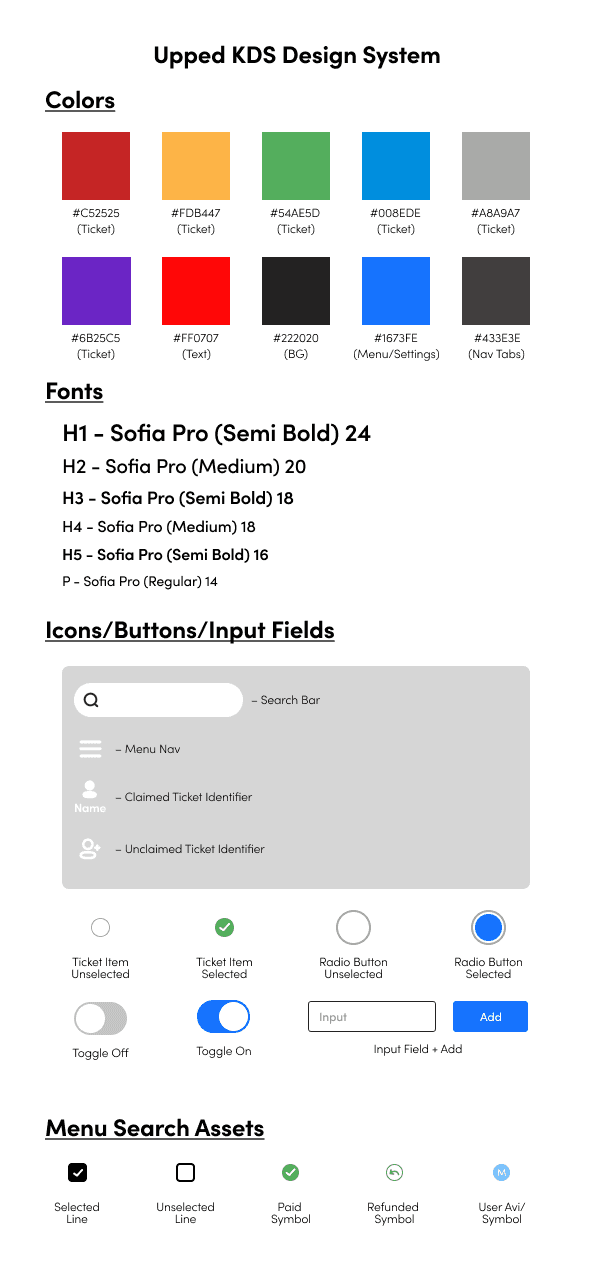
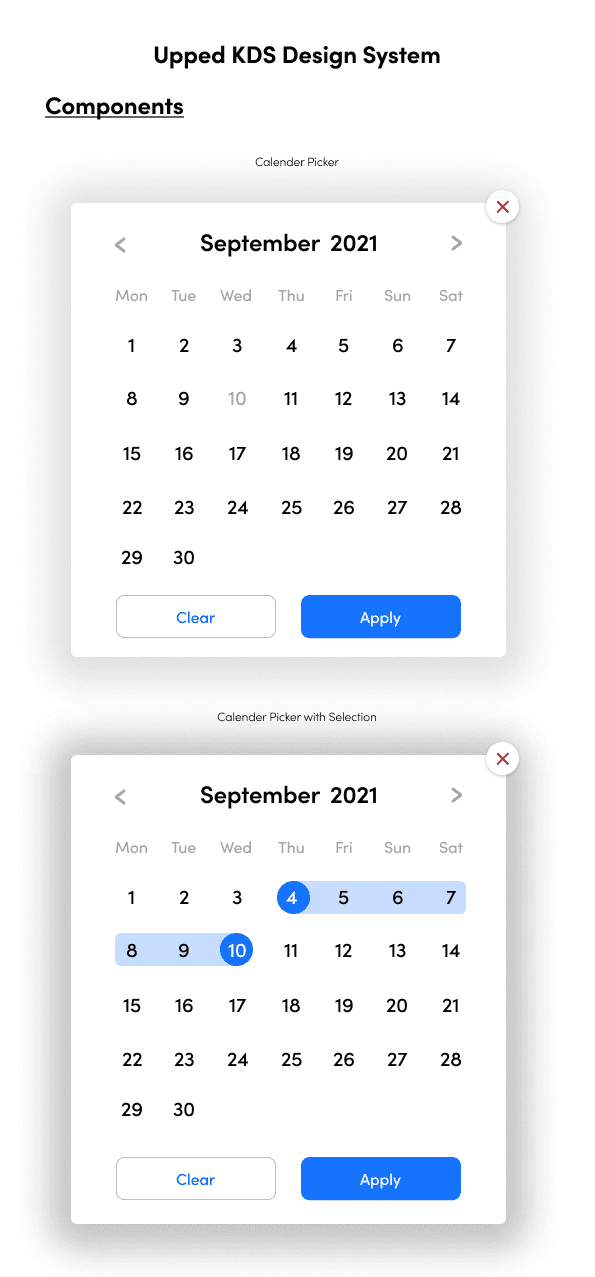
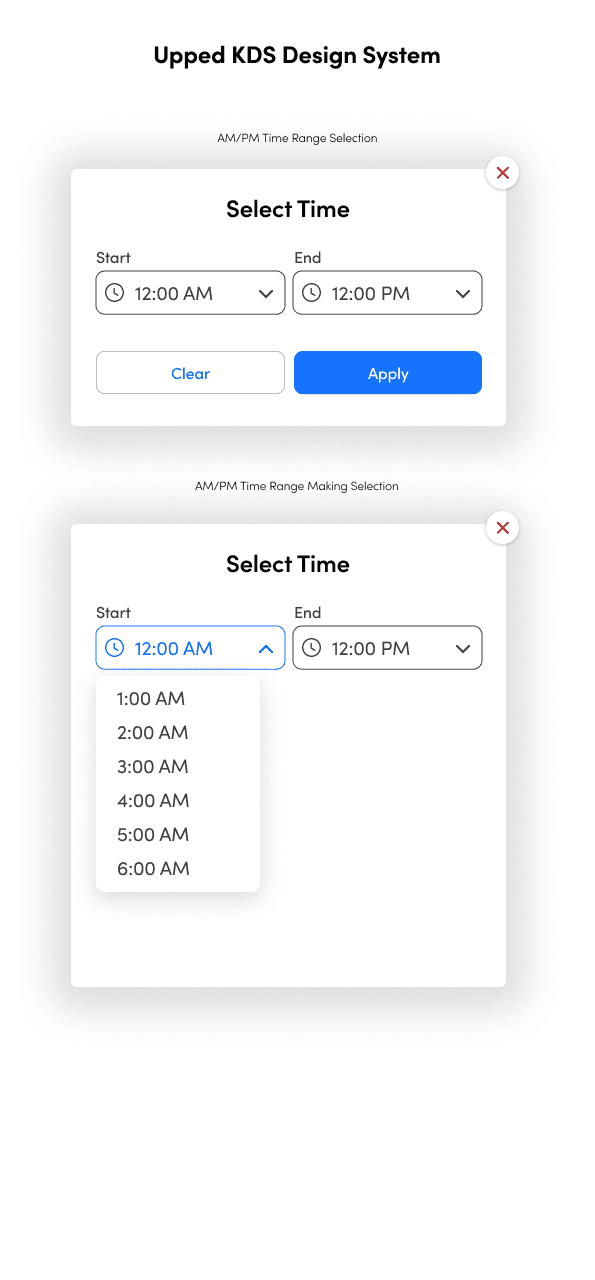
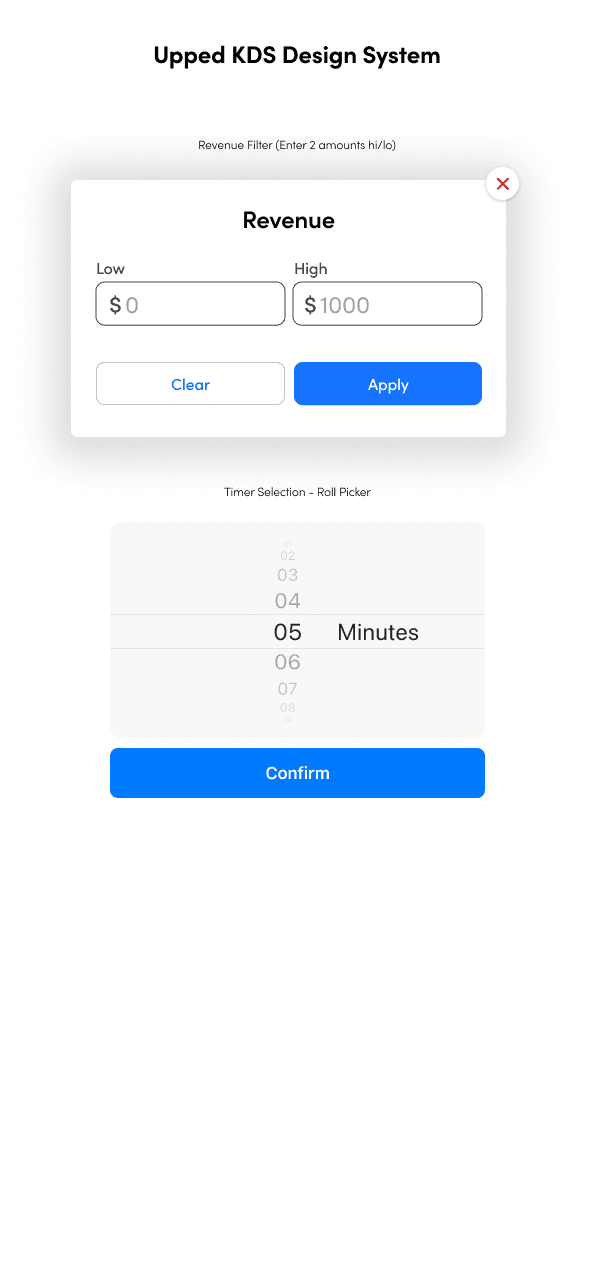
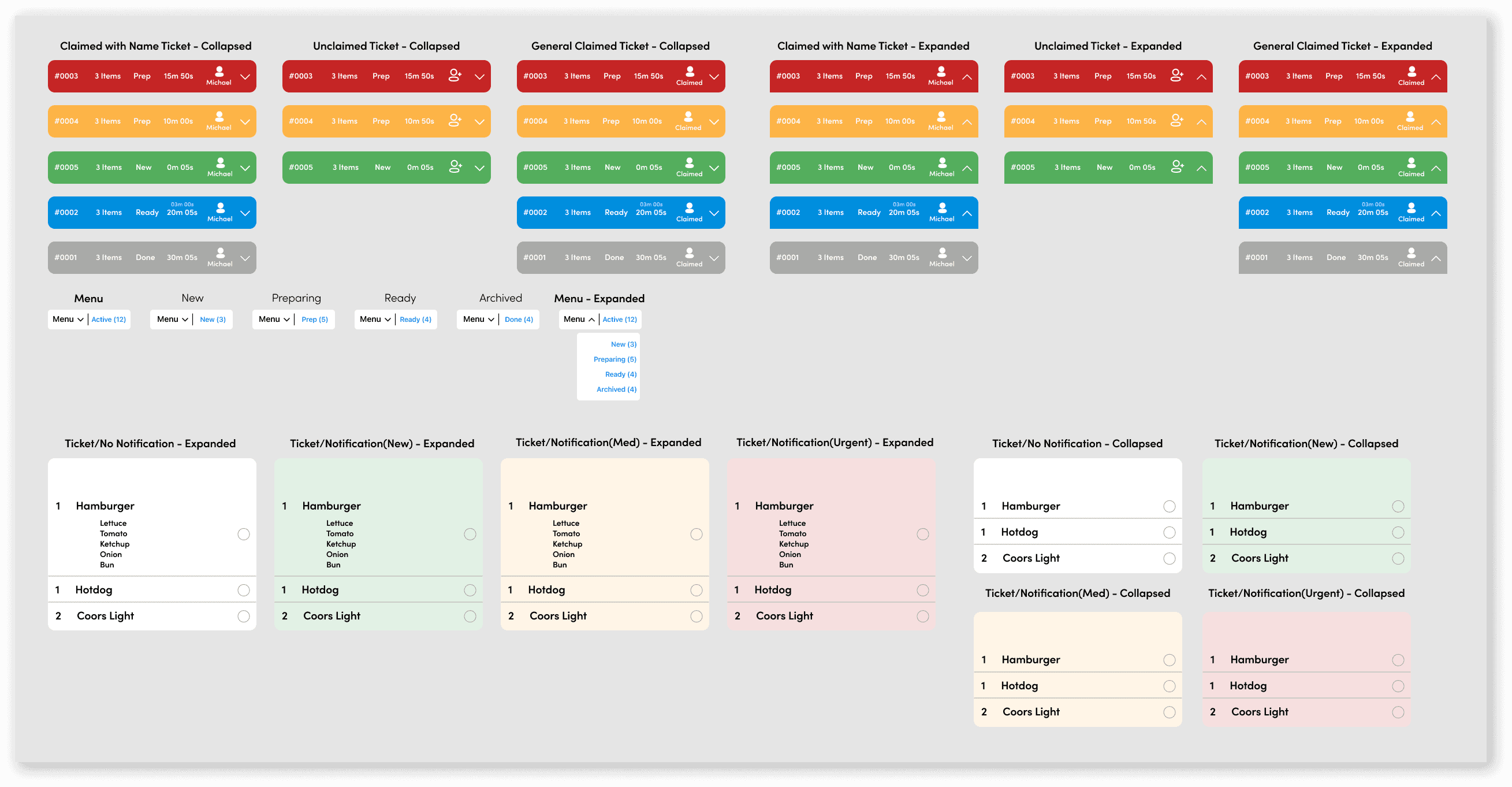
Below is a design system I created to streamline the design process. The design system allows for global components which help ensure consistency in designs and streamline design revisions from feedback. The design system also makes it easier for front-end developers to review page styles, and create the necessary CSS styles based on fonts, colors, and spacing.
Below is a design system I created to streamline the design process. The design system allows for global components which help ensure consistency in designs and streamline design revisions from feedback. The design system also makes it easier for front-end developers to review page styles, and create the necessary CSS styles based on fonts, colors, and spacing.
Final Designs
Final Designs
Below, some of the final screen designs can be found for each system designed. Upped Events is very excited about the launch of this product, and asked me to not share the final prototypes for this project (which include all screens and features). However, the simplified prototypes below display many of the screens to provide an overview of the final product, and the design work completed.
Below, some of the final screen designs can be found for each system designed. Upped Events is very excited about the launch of this product, and asked me to not share the final prototypes for this project (which include all screens and features). However, the simplified prototypes below display many of the screens to provide an overview of the final product, and the design work completed.